

chmod 755, 644, and 600 Explained: setuid, setgid, and the Sticky Bit
Commands such as chmod 755 script.sh and chmod 600 ~/.ssh/id_rsa are easier to understand when you can read the numbers. This guide explains ordinary permissions and special bits, then applies them to shared directories, OpenSSH private keys, and Git. POSIX defines the basic interface; GNU, Linux, and OpenSSH behavior is identified where implementation details matter.
Japanese original published: 2026-05-30
Three octal digits: owner, group, and others
The ordinary permission bits form three sets of three: u for the owner, g for the file's group, and o for others. The owner is the account that owns the file, which is not necessarily you.
For ordinary mode-bit checks, an owner uses the owner bits. A non-owner whose group membership matches the file's group uses the group bits; other users use the other bits. A missing permission is not borrowed from another class. ACLs, privileges, and security policies can affect access separately. Resolving a path also requires search permission on the directories along that path.
- r = 4: read file contents, or list the names in a directory. Getting details about directory entries normally requires search permission too.
- w = 2: modify a file's contents. For a directory, write permission concerns adding and removing entries, normally together with search permission. It is separate from the permissions of the files inside.
- x = 1: execute a file, or search/traverse a directory, including entering it with
cd. Listing names still requires directory read permission.
Add the values you need to obtain a digit from 0 to 7. Put the owner, group, and other digits next to each other to obtain a mode such as 755.
Scroll horizontally if the table does not fit.
| Digit | Binary (rwx) | Symbolic | Permissions |
|---|---|---|---|
| 7 | 111 | rwx | Read, write, execute/search |
| 6 | 110 | rw- | Read and write |
| 5 | 101 | r-x | Read and execute/search |
| 4 | 100 | r-- | Read |
| 3 | 011 | -wx | Write and execute/search |
| 2 | 010 | -w- | Write |
| 1 | 001 | --x | Execute/search |
| 0 | 000 | --- | No permissions in this class |
Common modes: 755, 644, 600, and 700
These are common examples, not universal requirements. Choose a mode according to who actually needs access.
Scroll horizontally if the table does not fit.
| Octal | Symbolic | Typical use |
|---|---|---|
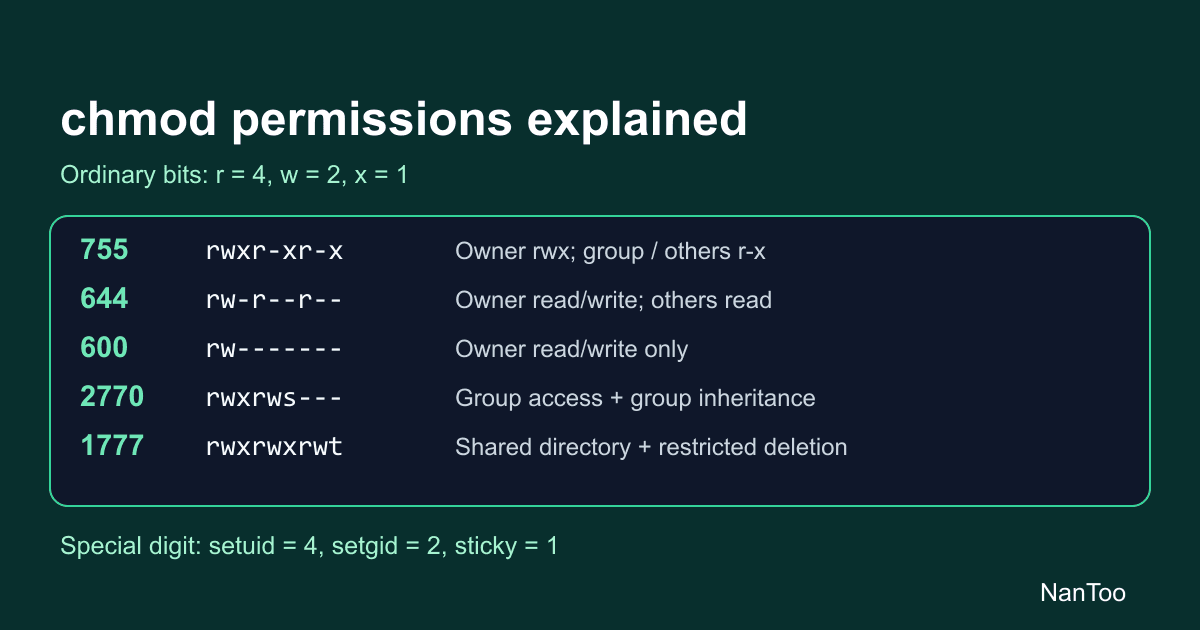
| 755 | rwxr-xr-x | Executables or directories: owner rwx, group and others read plus execute/search |
| 644 | rw-r--r-- | Ordinary files: owner read/write, group and others read |
| 600 | rw------- | Owner-only files, such as an SSH private key, API-key file, or .env file |
| 700 | rwx------ | Owner-only directories, such as ~/.ssh or a GnuPG home directory |
| 444 | r--r--r-- | No write bits; the owner or a privileged account can still change the mode, so this is not an immutable lock |
| 777 | rwxrwxrwx | rwx for every class; shared directories still need an ownership and deletion policy |
When creating a file, a program requests a mode and the process's umask restricts it. If a program requests 0666 for a regular file or 0777 for a directory, a mask of 0022 normally yields 0644 or 0755. Those requested values are examples of creation modes, not the starting point of a chmod operation. ACLs can also affect the final mode.
# With umask 022 (octal values)
file:      666 & ~022 = 644 (rw-r--r--)
directory: 777 & ~022 = 755 (rwxr-xr-x)

# With umask 002
file:      666 & ~002 = 664 (rw-rw-r--)
directory: 777 & ~002 = 775 (rwxrwxr-x)
The operation is bit masking, not decimal subtraction.
Symbolic modes: change selected permissions
POSIX also defines symbolic chmod modes. Combine a target class (u/g/o/a), an operator (+/-/=), and permissions; separate operations with commas. GNU chmod supports r/w/x/X/s/t and can copy another class's permissions using u/g/o.
chmod u=rwx,g=rx,o=rx,u-s,g-s,o-t file  # Request 0755, explicitly clearing special bits
chmod u+x script.sh                    # Add owner execute permission
chmod -R go-w /path                    # Remove group/other write permission recursively
chmod a+r file                         # Add read permission for all classes
Replace example paths with your intended targets. Before a recursive change, check its scope and how your chmod implementation handles symbolic links.
- Who:
uis the owner,gthe group,oothers, andaall three. - Operator:
+adds bits,-removes them, and=replaces the selected permissions, subject to GNU's directory set-ID preservation rules. - Permissions:
r/w/xare ordinary permissions;sselects setuid/setgid andtthe sticky bit.Xis conditional execute/search: for example,+Xadds x when the target is a directory or already has an execute bit set for some class.
The class can be omitted, but then bits masked by umask are excluded from the change. Do not assume chmod +x and chmod a+x always have the same effect.
Symbolic modes make partial changes clear. For example, chmod go-w file removes only group and other write permission. Numeric modes express an ordinary target mode concisely, but GNU chmod can retain existing setuid/setgid bits on directories unless explicitly told to clear them. Check the special bits as well as the last three digits.
The leading digit: setuid, setgid, and sticky
In a four-digit mode such as 4755, the leading digit is the sum of setuid = 4, setgid = 2, and sticky = 1. These meanings differ from read/write/execute in the last three digits.
- setuid (4000): for an executable, execution can set the process's effective user ID to the file owner's ID.
- setgid (2000): for an executable, execution can set the effective group ID to the file's group. On a directory, newly created entries inherit its group.
- Sticky (1000): on a directory, deletion and renaming are additionally restricted to the entry's owner, the directory's owner, or a sufficiently privileged process.
In symbolic output, the execute positions can display s/S or t/T. Lowercase means that the corresponding x bit is also set; uppercase means it is not.
A requested mode is not a guarantee of the applied result. For example, GNU chmod can clear a regular file's setgid bit when its group does not match the caller's effective or supplementary groups and the caller lacks the necessary privilege. Other OS or filesystem restrictions may prevent set-ID changes. Inspect the result with stat or ls -l.
Scroll horizontally if the table does not fit.
| Octal | Symbolic | Example |
|---|---|---|
| 4755 | rwsr-xr-x | A root-owned setuid executable; passwd uses this arrangement in some systems, but paths, modes, and authentication arrangements vary |
| 2770 | rwxrws--- | A group-writable directory with group inheritance; 2755 lacks group write permission and is insufficient for ordinary collaborative writing |
| 1777 | rwxrwxrwt | A shared temporary directory such as /tmp, with restricted deletion and renaming |
Directory setgid does not guarantee that new files will be group-writable: creation modes, umask, and ACLs still matter. The sticky bit does not protect file contents against reading or writing, and it does not grant directory write/search permission. It adds a restriction to deletion and renaming. On Linux, conditions such as nosuid, no_new_privs, and tracing with ptrace can suppress set-ID changes during execution.
Why /tmp commonly uses 1777
The Filesystem Hierarchy Standard requires /tmp to be available to programs needing temporary files; it does not prescribe 1777. Many UNIX-like systems use that mode for a shared temporary directory. Ordinary rwx for everyone would allow other users to remove or rename entries. Adding sticky restricts those operations to the owners or privileged processes described above.
Keep privileged execution narrowly scoped
A bug in a root-owned setuid executable can become a privilege-escalation path. Setuid is not inherently inappropriate, but its implementation, ownership, and writable dependencies require care.
- Remove unnecessary setuid executables and review who can modify the binary and its dependencies.
- On Linux, consider whether a specific capability is enough, such as
CAP_NET_BIND_SERVICEfor binding to low-numbered ports. Check the need and configuration for the particular service. - Consider narrowly authorized operations through sudo or polkit where appropriate.
- Do not base a shell-script privilege design on its setuid bit. Linux ignores setuid and setgid bits on scripts.
Troubleshooting SSH keys, services, and Git
OpenSSH rejects an overly accessible private key
A private-key load can produce a warning such as:
$ ssh -i ~/.ssh/id_rsa user@host
WARNING: UNPROTECTED PRIVATE KEY FILE!
Permissions 0644 for '/home/user/.ssh/id_rsa' are too open.
A typical correction is chmod 600 ~/.ssh/id_rsa. Mode 400 also removes the owner's write bit, but does not prevent the owner from changing the mode again.
On UNIX-like systems, OpenSSH portable checks whether the key file belongs to the user running ssh. If it does and any group/other permission bit is set, it rejects loading that private key. This does not necessarily terminate the entire client: another key or authentication method may still be attempted. This explanation is not a recommendation to use keys owned by someone else. Windows ACL-based checks are a separate case.
700 is recommended for ~/.ssh, not the only conceivable mode
OpenSSH documentation recommends owner-only access to the .ssh directory. Also check ownership, group/other write access, and the server's StrictModes checks. Client private-key loading and server-side checks are distinct.
A service cannot execute its program
A CGI script or binary started directly by the OS needs execute permission for the account actually running it. A script passed as an argument to an interpreter needs read permission instead of relying on its own x bit. Identify the CGI or backend service account, such as www-data, then determine whether its access is through the owner, group, or other class. Mode 755 is one example, not a requirement for every deployment.
A script is not executable after checkout
For ordinary files, Git records whether a file is executable, rather than preserving its owner, group, and complete permissions. Filesystem support and core.fileMode affect how executable-bit changes are handled. On a UNIX-like working tree, chmod u+x script.sh adds owner execute permission to the file itself.
By contrast, git update-index --chmod=+x script.sh changes the executable flag in the index. It does not directly repair the working-tree file's mode. Commit the index change to share it through Git.
Read the mode, then check the context
Keep these two calculations separate:
Last three digits, each: read (4) + write (2) + execute/search (1)
Leading special digit: setuid (4) + setgid (2) + sticky (1)
Thus 755 gives the owner rwx and the other classes read plus execute/search; 644 gives the owner read/write and the other classes read; 600 grants ordinary read/write permissions only to the owner. These describe mode bits, not every possible access-control mechanism.
A permission calculator can help translate between octal and symbolic notation, but you must still check the target path, operating system, and actual applied mode. Prefer the smallest set of permissions that supports the intended work instead of using 777 as a blanket fix.
References and sources
- Git - core.fileMode ↗
- GNU coreutils - chmod(1) ↗
- Linux man-pages - execve(2) ↗
- Linux man-pages - path_resolution(7) ↗
- OpenSSH portable - authfile.c, sshkey_perm_ok ↗
- Git - git-update-index ↗
- The Open Group - POSIX.1-2024 chmod ↗
- GNU coreutils - chmod invocation ↗
- GNU coreutils - Setting Permissions ↗
- GNU coreutils - Directory Setuid and Setgid ↗
- Linux man-pages - chmod(2) ↗
- Linux man-pages - capabilities(7) ↗
- The Open Group - POSIX.1-2024 open() ↗
- Filesystem Hierarchy Standard 3.0 - /tmp ↗
- OpenSSH ssh(1) - FILES ↗
- OpenSSH sshd_config(5) - StrictModes ↗
Editorial note
This article was prepared with AI assistance and reviewed by an editor before publication. It may still contain factual errors, interpretation mistakes, or outdated information. Check the cited primary sources or official documentation before making an important decision.