

Gzip vs. Brotli vs. Zstandard: HTTP Content-Encoding in Practice
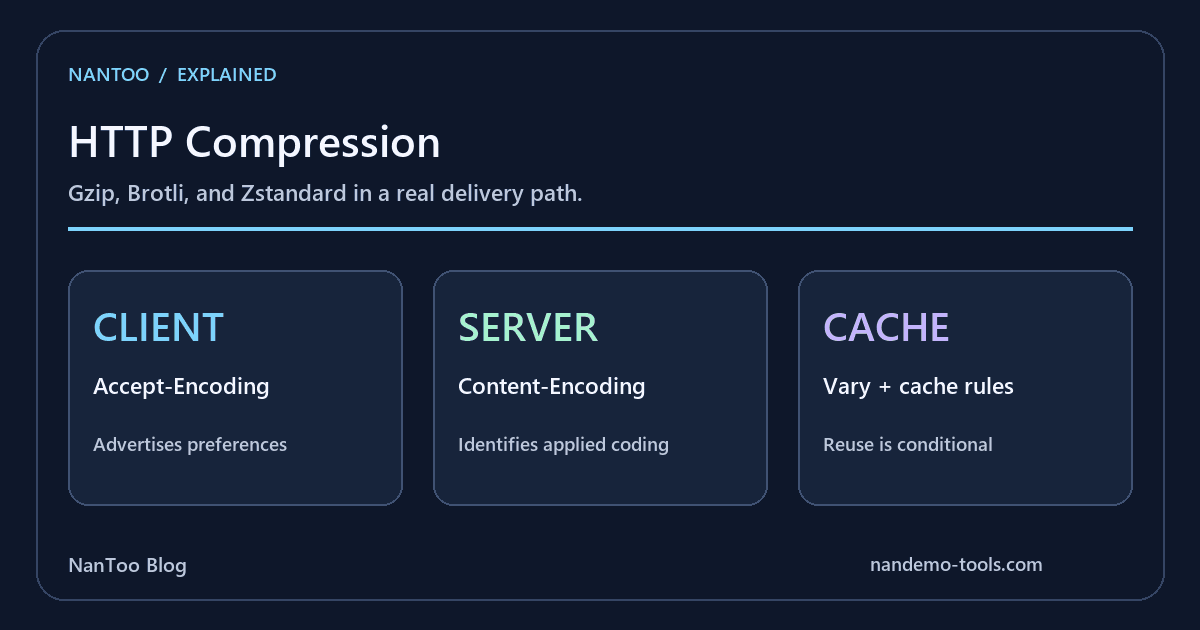
HTML, CSS, JavaScript, and JSON often travel in a compressed representation. A browser advertises acceptable codings through Accept-Encoding, and the response identifies any coding actually applied through Content-Encoding.
Zstandard is an established compression format and an HTTP content-coding option. Deciding whether to use it requires a look at the actual browser, CDN, origin, and cache path rather than a universal ranking of gzip, Brotli, and zstd.
Japanese original published: 2026-06-12
HTTP compression starts with negotiation
A request can advertise several acceptable codings. The server selects an acceptable representation according to its capabilities and delivery policy:
GET /app.js HTTP/1.1
Host: example.com
Accept-Encoding: gzip, deflate, br, zstd

HTTP/1.1 200 OK
Content-Type: application/javascript
Content-Encoding: br
This is a header excerpt in HTTP/1.1 form. HTTP/2 and HTTP/3 use different wire framing while retaining the field semantics. Advertising zstd does not require a server to use it.
Under RFC 9110, an absent Accept-Encoding field permits any content coding; an empty value expresses a preference for none. A qvalue of zero rejects a coding. The asterisk covers codings not explicitly listed. Identity is normally acceptable unless excluded by identity;q=0, or by *;q=0 without a more specific identity entry. Do not infer preference solely from list order.
What each compression family offers
Scroll horizontally if the table does not fit.
| Format | HTTP coding | Useful characteristics | Deployment role |
|---|---|---|---|
| Gzip | gzip | Long-established DEFLATE-based compression | Broad compatibility |
| Brotli | br | Can compress web text efficiently | Used for static delivery as well as other workloads |
| Zstandard | zstd | Adjustable speed/ratio trade-offs and fast decoding | An option supported by suitable clients and delivery systems |
Gzip's compatibility, Brotli's text-compression opportunities, and zstd's speed/ratio trade-offs are useful starting points. They do not establish one winner for every input.
Zstandard has applications beyond HTTP, including package distribution, logs, and storage. Its maturity as a format is distinct from whether a particular web delivery path enables it.
The HTTP zstd window limit is not a file-size limit
RFC 8878 defines the Zstandard format and its media type. The zstd content coding is also registered with IANA for HTTP.
RFC 9659 makes the HTTP window constraint explicit: an encoder must not require a Window_Size greater than 8 MB, and a decoder must support windows up to and including 8 MB. This limits the window needed for decoding, not the total size of the compressed file or response.
Format support therefore needs to include the HTTP-specific constraints. A zstd stream suitable for another application is not automatically suitable for a browser response.
Speed claims need an input and a configuration
Zstandard combines dictionary-style matching with entropy coding and offers a range of compression levels. A higher level can trade more encoding work for size, while faster settings can be useful when compression happens during a request.
Decode time matters too: fewer transferred bytes do not automatically produce a faster page if processing costs offset the saving. Measure the input sizes and workloads your service actually serves.
Text such as HTML, CSS, JavaScript, JSON, and logs is often compressible. Formats that already contain compressed data—such as many JPEG, PNG, AVIF, WebP, ZIP, and PDF files—may gain little from another compression layer, and sometimes incur a size or CPU penalty.
Static versus dynamic is a starting point, not a rule
Precompressing a static asset allows a costly encoding step to happen before delivery. That makes high-effort Brotli one useful option for static JavaScript and CSS.
Zstd can also be attractive when encoding speed matters, including some dynamic responses. A deployment might combine Brotli for selected assets, zstd for suitable API responses, and gzip for compatibility.
That is a possible policy, not a protocol rule. Compare versions, levels, input data, CPU work, decoding time, and cache behavior before concluding that one algorithm belongs exclusively to static or dynamic content.
Content-Type, Content-Encoding, and transfer framing differ
Content-Type identifies the media type. Content-Encoding describes coding applied to that representation:
Content-Type: application/json
Content-Encoding: zstd
A recipient decodes the content coding before interpreting the resulting representation as JSON. Downloading a .zst file and receiving zstd-coded JSON are therefore different uses.
Content-Encoding is also separate from Transfer-Encoding's message-transfer processing. If several content codings are applied, they are listed in application order and undone in reverse order.
Vary helps select the right cached representation
The same URL may return Brotli to one client, gzip to another, and identity to another. A cache must avoid reusing an incompatible representation. A response can identify the request field used for selection:
Vary: Accept-EncodingCDNs and reverse proxies may normalize or manage coding variants internally. With a custom cache configuration, check both the cache key and the response metadata.
Vary does not itself grant permission to store or share a response. Cache-Control, authentication, status, and the other applicable caching rules still matter. Correctly choosing a representation and being permitted to reuse it are separate requirements.
Check browsers, CDNs, and origins separately
The following summarizes official documentation and compatibility data checked on September 5, 2026. Verify the request and response headers on the actual route, not just a product's feature label.
Scroll horizontally if the table does not fit.
| Component | Documented support | Check in deployment |
|---|---|---|
| Chrome / Edge | zstd from version 123 | HTTPS request and response behavior |
| Firefox | zstd from version 126 | HTTPS request and response behavior |
| Safari | zstd from 26.3; compatibility data notes decoding is unavailable before macOS 26.3. iOS support starts at 26.3 | OS version as well as browser version |
| Cloudflare to visitor | Gzip, Brotli, or zstd | Plan, rules, content type, size, and status |
| Origin to Cloudflare | The documentation lists Brotli, gzip, or identity | Do not infer origin-side zstd support from visitor-side support |
| Nginx | The official ngx_http_gzip_module handles gzip | Inspect the installed modules and build for Brotli or zstd |
Cloudflare's documented defaults are zstd on Free, Brotli on Pro and Business, and gzip on Enterprise. Requests and compression rules can change the actual selection. Client-facing and origin-facing compression are distinct parts of the path.
Compression can also expose information through response sizes when secrets and attacker-controlled input share a response. HTTPS does not make that issue disappear. Evaluate the response content and threat model before enabling compression indiscriminately.
Choose with measurements from your delivery path
Gzip and Brotli remain useful even where zstd is supported. The format specification, HTTP constraints, client support, and delivery policy each answer a different question.
Test real HTML, CSS, JavaScript, and JSON from the service. Compare transferred size, encoding and decoding cost, cache behavior, and the client population. A byte viewer such as the binary editor can inspect bytes, but it does not benchmark compression performance.
Select the combination that works for that path, and record the settings used. Recheck product-specific support when revisiting the deployment.
References and sources
- RFC 8878 — Zstandard Compression and the application/zstd Media Type ↗
- RFC 9659 — Window Sizing for Zstandard Content Encoding ↗
- IANA — HTTP Content Coding Registry ↗
- MDN — Accept-Encoding ↗
- MDN — Content-Encoding ↗
- RFC 9110 — HTTP Semantics ↗
- RFC 9111 — HTTP Caching ↗
- MDN Browser Compatibility Data — Content-Encoding ↗
- Cloudflare — Content compression ↗
- Nginx — ngx_http_gzip_module ↗
Editorial note
This article was prepared with AI assistance and reviewed by an editor before publication. It may still contain factual errors, interpretation mistakes, or outdated information. Check the cited primary sources or official documentation before making an important decision.