

JSONPath vs jq and JavaScript: Why Similar Paths Behave Differently
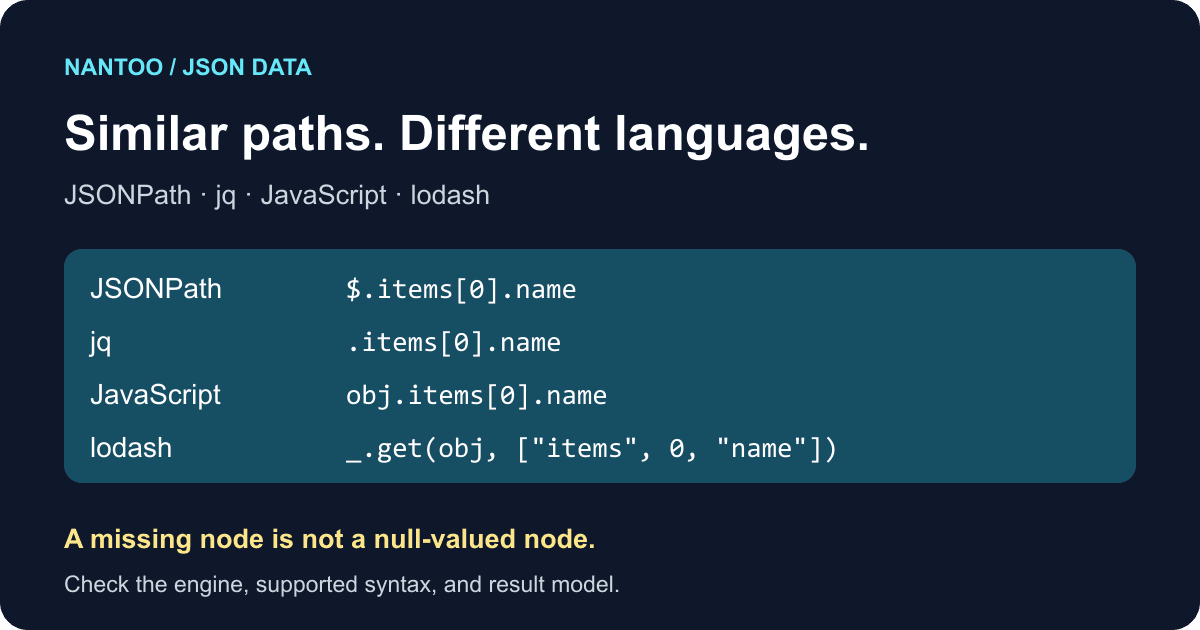
You want the name of the first item in a JSON document. One tool expects $.items[0].name, another accepts .items[0].name, and a library takes ["items",0,"name"]. These expressions look related, but pasting one into another tool can fail—or produce a different result.
This guide compares JSONPath as standardized in RFC 9535 with jq filters, JavaScript property access, and lodash paths. Treat them as different languages evaluated by different engines, even when they point to the same value.
Japanese original published: 2026-06-09
JSONPath selects nodes in a JSON document
JSONPath describes which nodes to select from a JSON value. For example, $.items[0].name selects the first product name in this document. Prices in this sample are in Japanese yen.
{
  "items": [
    { "name": "USB-C cable", "price": 1200 },
    { "name": "charger", "price": 2980 }
  ]
}
The $ identifies the root, .items selects an object member, [0] selects the first array element, and .name selects its name. The selected value is "USB-C cable". Although the expression resembles a file path, it is a query over a JSON tree.
What RFC 9535 standardizes
JSONPath implementations historically differed. Published in February 2024, RFC 9535 defines a common syntax and semantics for selecting JSON values. Older implementations and extensions still need to be distinguished from that standard.
Scroll horizontally if the table does not fit.
| Notation | Meaning | Example |
|---|---|---|
$ | Root node | $ |
.name | Named child | $.items |
['name'] | Quoted member name | $['user.name'] |
[0] | Array index | $.items[0] |
[*] | All children | $.items[*].name |
..name | Descendant search | $..price |
[?expr] | Filter selection | $.items[?@.price < 2000] |
The standard defines more than spelling: results are nodelists, @ identifies the current node in a filter, and operations such as wildcards and array slices have defined behavior. A tool offering “JSONPath” does not necessarily implement all of it.
$ and @ refer to different nodes
$ always refers to the document root. Inside a filter, @ refers to the node currently being tested.
$.items[?@.price < 2000].nameHere, the filter examines each product in items. Its @.price is that product's price, so the query selects "USB-C cable". Replacing it with $.price would instead look for a price directly under the root. Our sample has no such member.
jq filters are not JSONPath expressions
In jq, . is the identity filter: it returns its input. .foo retrieves a member named foo. A filter such as .items[0].name resembles JSONPath, but belongs to jq's own language, which also supports transformations, calculations, pipes, array construction, and multiple outputs.
Scroll horizontally if the table does not fit.
| Task | JSONPath | jq |
|---|---|---|
| First product name | $.items[0].name | .items[0].name |
| Every product name | $.items[*].name | .items[].name |
| Products below JPY 2,000 | $.items[?@.price < 2000] | .items[] | select(.price < 2000) |
This comparison assumes the numeric prices in the opening sample. jq orders values across types, so a missing or null price also satisfies .price < 2000. To restrict the comparison to numbers, use .items[] | select(.price | numbers) | select(.price < 2000). JSONPath's comparison with a number does not behave the same way.
.items[].name emits separate jq outputs. JSONPath returns a nodelist, not a deduplicated set: on ["a","b"], $[0,0] selects the first node twice. Representing the selected values as an array gives ["a","a"]. An array wildcard preserves array order; the standard does not guarantee member order for an object wildcard.
JavaScript property access is an executable expression
obj.items[0].name is JavaScript property access. Unlike a JSONPath query string, it is evaluated as a JavaScript expression.
{ "user.name": "Aki", "user": { "name": "Bun" } }$.user.nameselects the nested name,"Bun".$['user.name']selects the single key containing a dot,"Aki".obj.user.nameaccesses the nested value in JavaScript.obj["user.name"]accesses the literal dotted key in JavaScript.
Keep a stored path separate from executable code. Do not evaluate arbitrary user-supplied path text as JavaScript. Parse an explicitly supported path syntax and access its components instead.
A lodash path is not standard JSONPath either
_.get(object, path) accepts a string such as "a[0].b.c" or an array such as ["a",0,"b","c"]. It follows a property path to a value; it does not give that string RFC 9535 semantics.
A simple path such as items[0].name may look familiar, but JSONPath wildcards, descendant searches, and filters do not transfer directly to lodash. Use explicit array components when you need to distinguish a literal dotted key from nested properties: ["user.name"] and ["user","name"] are different paths.
Five differences that matter when moving between tools
- Root syntax: a top-level RFC 9535 query must start with
$; filters can use@. jq uses.to access its input, but not every jq filter begins with a dot. - Array iteration: JSONPath uses
[*], while jq uses[]. - Dotted keys: quote the complete name, as in
['user.name'], when the dot belongs to the key. - Missing members: JSONPath selects no node for an absent member. That is different from selecting a node whose value is
null. - Filter tests: JSONPath
[?@.x]checks existence, so it includes a presentxeven when its value isfalseornull. jqselect(.x)rejects false and null but accepts zero and the empty string. JavaScript's truthiness rules differ again.
{ "x": null }For this input, $.missing selects zero nodes and $.x selects one null-valued node. The brackets in the JSONPath result column below represent an array of selected values; an API may expose nodelists in a different form.
Scroll horizontally if the table does not fit.
| Engine | Absent missing member | Present x member |
|---|---|---|
| JSONPath | $.missing → [] | $.x → [null] |
| jq | .missing → null | .x → null |
| JavaScript | obj.missing → undefined | obj.x → null |
| lodash | _.get(obj, ["missing"], "fallback") → "fallback" | _.get(obj, ["x"], "fallback") → null |
Continuing with obj.missing.name throws a TypeError in JavaScript; obj.missing?.name gives undefined. lodash uses its default value when the resolved value is undefined, not when it is null.
For [{"x":false},{"x":null},{"x":0},{"x":""},{}], JSONPath $[?@.x] selects the first four objects. jq .[] | select(.x) emits only the two objects containing zero and the empty string. When sharing a query in API tests or log analysis, name its language and engine rather than calling it simply a “JSON path.”
Separate display paths from queries you can run
A label showing items[0].name can help someone locate a value without being a complete executable query. A query used for extraction or a test, however, must follow the target engine's grammar and supported features.
NanToo's JSONPath Finder is currently available in Japanese. Selecting a tree node displays five access forms—JSONPath, JavaScript, Python, jq, and lodash—with individual copy controls. Its query input is a limited implementation, not a validator for all of RFC 9535. For a numeric comparison there, use $.items[?(@.price < 2000)].name: the parentheses are required by this tool although optional in the RFC. The existence filter, duplicate selection $[0,0], array slices, and compound filters discussed here are not supported by that tool.
Before debugging a path, you can check the input with the English JSON formatter and validator. Then use an engine that supports the query you need. Formatting valid JSON and evaluating JSONPath are separate tasks.
References and sources
Editorial note
This article was prepared with AI assistance and reviewed by an editor before publication. It may still contain factual errors, interpretation mistakes, or outdated information. Check the cited primary sources or official documentation before making an important decision.