

Why passkeys resist phishing: WebAuthn, FIDO2 and public-key sign-in
A passkey is more than a convenient way to store a password. It uses public-key authentication based on WebAuthn and FIDO2: the service verifies a signature instead of receiving a reusable password.
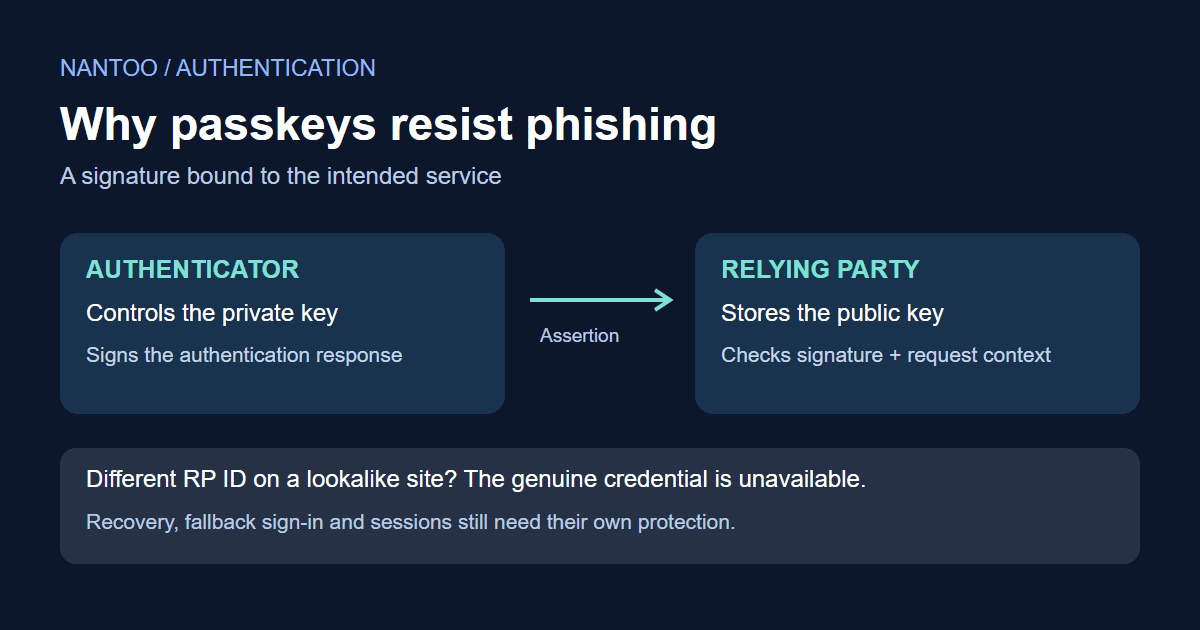
The key advantage is resistance to phishing, where an attacker imitates a login page to steal credentials. A passkey sign-in does not ask you to copy a password or verification code into that page. Password fallbacks and account recovery still need protection of their own. To understand the boundary, follow what happens during registration and authentication.
Japanese original published: 2026-06-19
What WebAuthn and FIDO2 define
WebAuthn is the browser API for creating and using public-key credentials. WebAuthn Level 3 became a W3C Recommendation on August 25, 2026. It defines the interaction between a web application, the browser and an authenticator.
Scroll horizontally if the table does not fit.
| Term | Meaning |
|---|---|
| Relying party (RP) | The web service accepting the sign-in, such as a service at example.com. |
| Authenticator | A component or device that controls use of a private key, such as a device's built-in authentication facility or a security key. |
| PublicKeyCredential | The credential object returned through WebAuthn. |
A passkey is a FIDO discoverable credential used for passwordless sign-in. Not every WebAuthn credential is a passkey. FIDO2 combines W3C WebAuthn with FIDO's Client to Authenticator Protocol (CTAP), which handles communication with external authenticators, among other scenarios.
Registration: associating a public key with an account
Registering a passkey does not involve inventing a password. The authenticator creates a new key pair.
- The server supplies a user identifier, RP ID, challenge and permitted algorithms, along with other registration options.
- The web application calls
navigator.credentials.create({ publicKey: ... })in the browser. - The authenticator checks the required user interaction. User verification (UV), such as a fingerprint, face check or PIN, differs from user presence (UP), such as touching a security key. A touch alone does not verify who is touching it.
- The authenticator creates the key pair.
- Before storing the credential, the server checks the response type, issued challenge, allowed origin, RP ID hash, required UP/UV flags, algorithm and attestation policy. It then binds the credential ID and public key to the correct account.
The registration response includes the public key and credential information, not the private key. A provider may synchronize encrypted key material to another device, but the relying party still does not receive that private key.
Adding a passkey to an existing account requires authorization for that account, established through appropriate authentication or reauthentication. Bind the registration operation to that account; creating a new account is a separate enrollment flow. A valid registration response or local UV alone does not prove permission to add a credential to a claimed existing account.
Attestation lets an RP assess an authenticator's properties or provenance. It can matter in managed or higher-assurance environments, but demanding it also has privacy and deployment implications. A consumer service may choose not to require identifying attestation.
Authentication: answering a fresh challenge
The server challenges the authenticator to demonstrate control of the registered private key for this attempt.
- The user starts signing in.
- The server returns an unpredictable challenge and authentication options. For username-less sign-in, allowCredentials can be omitted or empty.
- The web application calls
navigator.credentials.get({ publicKey: ... })in the browser. - The authenticator performs the required user verification or presence check.
- It signs authenticatorData concatenated with SHA-256(clientDataJSON). The challenge and origin are inside clientDataJSON and are covered through that hash.
- The server verifies the signature with the stored public key and checks the challenge, origin, RP ID, operation type, required flags and account association.
Replay protection requires server-side state and checks: issue a sufficiently random challenge, bind it to the pending operation, enforce expiry and accept it only once. A valid signature alone cannot reject a replay. NIST discusses challenges and nonces as mechanisms for replay-resistant protocols.
A user may describe this as signing in with a fingerprint, but the service does not receive the fingerprint image. Biometrics or a PIN authorize use of the key locally.
Exactly what the authenticator signs
An authentication assertion is not a signature over the challenge alone. Its signature input is authenticatorData || SHA-256(clientDataJSON), where || means byte concatenation. Hash the original clientDataJSON bytes; parsing and reserializing the JSON is not an equivalent substitute. The RP ID hash is the SHA-256 hash of the RP ID string.
Scroll horizontally if the table does not fit.
| Data | Key contents | Why the server checks it |
|---|---|---|
| clientDataJSON | Challenge, origin, operation type and other context | Connects the response to the requested operation and web origin. |
| authenticatorData | RP ID hash, flags and signature counter, with other fields as applicable | Identifies the RP binding and records checks such as user presence and verification. |
The server must compare the challenge with the one it issued and verify the allowed origin, expected RP ID hash and required flags. A mathematically valid signature does not make an unexpected origin or an expired challenge acceptable.
The signature counter is an additional signal, not conclusive proof of cloning. Some authenticators report zero, and counter behavior is not a universal monotonic guarantee across synchronized credentials. Use a maintained WebAuthn library and the complete registration and authentication verification procedures; the items here are an explanation, not a sufficient custom verifier.
The protection comes from combining a signature with browser-enforced site boundaries, request context and authenticator checks. It is more than a generic signing API.
Why a lookalike login page cannot simply reuse a passkey
Passkeys do not rely on users spotting every misleading URL. NIST describes phishing resistance in terms of preventing authentication secrets or valid authentication outputs from being disclosed to a counterfeit verifier. WebAuthn and FIDO2 use verifier-name binding.
A credential is scoped to an RP ID. A lookalike site at examp1e.com cannot simply request the credential registered for example.com.
Genuine site: https://example.com
  credential scoped to example.com -> usable

Lookalike site: https://examp1e.com
  credential scoped to example.com -> not available to this site
Normally, the RP ID is the origin's hostname or a permitted parent domain; it does not include a scheme or port. An origin includes scheme, host and port, and the server must check its allowed origins separately. Explicit mechanisms such as Related Origin Requests allow configured exceptions, so a universal rule of exact hostname equality would be misleading.
The signed context includes the origin. This is why copying the appearance of the genuine page is not enough to obtain a valid sign-in for that service. There is no password or manually entered code in the passkey ceremony for the fake form to collect and relay.
How this differs from TOTP and SMS codes
Adding TOTP or an SMS check to a password can strengthen authentication when it supplies an independent possession factor. A code alone does not make a flow two-factor, and TOTP is not necessarily six digits long. SMS also has risks such as SIM swaps and number-porting attacks.
Manual codes can be relayed: a fake page asks for the code and immediately forwards it to the real service. NIST does not classify manually entered authenticator outputs as phishing-resistant because they are not bound to the specific session in the way needed to prevent that relay.
Scroll horizontally if the table does not fit.
| Method | What is presented | Phishing boundary |
|---|---|---|
| Password | A reusable secret | A fake form can collect it. |
| TOTP or SMS | A short-lived code | A fake form may relay it before it expires. |
| Passkey | A signature bound to origin and RP context | A lookalike site cannot simply use the genuine site's credential. |
This does not make TOTP useless. An appropriately added factor can improve on a password alone. WebAuthn addresses the particular relay problem by binding the authentication to the service rather than asking the user to transfer a code.
Synced passkeys and device-bound passkeys
Some credentials can be synchronized between devices, while others remain bound to one device or security key. A provider can synchronize passkey key material with end-to-end encryption, making a replacement phone easier to use. Device-bound credentials have a narrower key-management boundary but require a plan for loss or failure.
Scroll horizontally if the table does not fit.
| Type | Benefit | Operational concern |
|---|---|---|
| Synced passkey | Convenient across devices and after device replacement. | Protect the synchronization account and understand its recovery process. |
| Device-bound passkey or security key | A more tightly controlled key boundary for appropriate assurance requirements. | Plan recovery if the device is lost, broken or unavailable. |
Synced passkeys can be a practical choice for consumer services. Administrator accounts and managed or regulated environments may instead need a combination of security keys, device management, attestation policies and multiple registered credentials. The appropriate choice depends on the service's requirements, not the label alone.
Discoverable credentials and signing in without a username
A discoverable credential lets an authenticator find an account's credential without first receiving a list of credential IDs from the RP. This enables a sign-in flow where the user does not have to type a username first.
In a traditional two-step flow, the user enters a username and password before using a code or security key. With passkeys, the browser or operating system's credential manager can offer credentials for the current RP ID. The user selects the appropriate account and completes the required verification.
The interface still needs care. Which account names are visible on a shared computer? Could family members select the wrong account? Should personal passkeys be used on a managed work device? Account selection, help text and device policies are part of a successful deployment.
Account recovery remains a separate security problem
A strong sign-in method does not automatically make account recovery strong. A weak recovery path can bypass the protection.
For example, if a passkey-protected account can be recovered using only a code sent to email, the security of that mailbox becomes critical. Adding trusted devices, registering additional credentials, providing backup codes and handling support requests all need deliberate policies.
- Register more than one passkey for important accounts where supported.
- Using the same synced passkey on several devices does not provide independence from the synchronization account. Consider a separate recovery method or an independently registered security key.
- Protect the synchronization account itself with strong authentication.
- Keep recovery addresses and phone numbers current.
The aim is to make legitimate recovery possible without creating an easier route for an attacker.
Implementation mistakes to avoid
The browser and authenticator cannot compensate for every server-side mistake.
- Reusing challenges: make them unpredictable, short-lived, associated with the pending operation and single-use.
- Skipping origin or RP ID checks: a valid signature must also belong to an allowed origin and the expected RP.
- Assuming user presence means verification: when verification is required, request
userVerification: "required"and enforce the UV flag on the server. - Binding a credential to the wrong account: maintain the credential ID, public key and account relationship correctly.
- Leaving a weak recovery bypass: assess the routes that can replace or add credentials.
Users also need to understand where a passkey is available, whether it syncs and whether a work device is appropriate. Help text should explain the action and its consequences rather than assume familiarity with cryptographic terminology.
What passkeys do not prevent
Passkeys improve resistance to credential phishing; they do not secure every stage of an account's life. Malware may compromise a signed-in session. Authorization bugs, session fixation, cross-site scripting, OAuth configuration errors and impersonation of support staff remain separate concerns.
A user can also be tricked into adding an attacker's device or credential to an account. Remote-support scams and unmanaged devices create risks beyond the ordinary fake-login-page attack.
These limits do not erase the benefit. Binding a public-key credential to the service prevents a common way of harvesting and relaying passwords or codes. It must sit alongside secure sessions, enrollment, authorization and recovery.
References and sources
Editorial note
This article was prepared with AI assistance and reviewed by an editor before publication. It may still contain factual errors, interpretation mistakes, or outdated information. Check the cited primary sources or official documentation before making an important decision.