

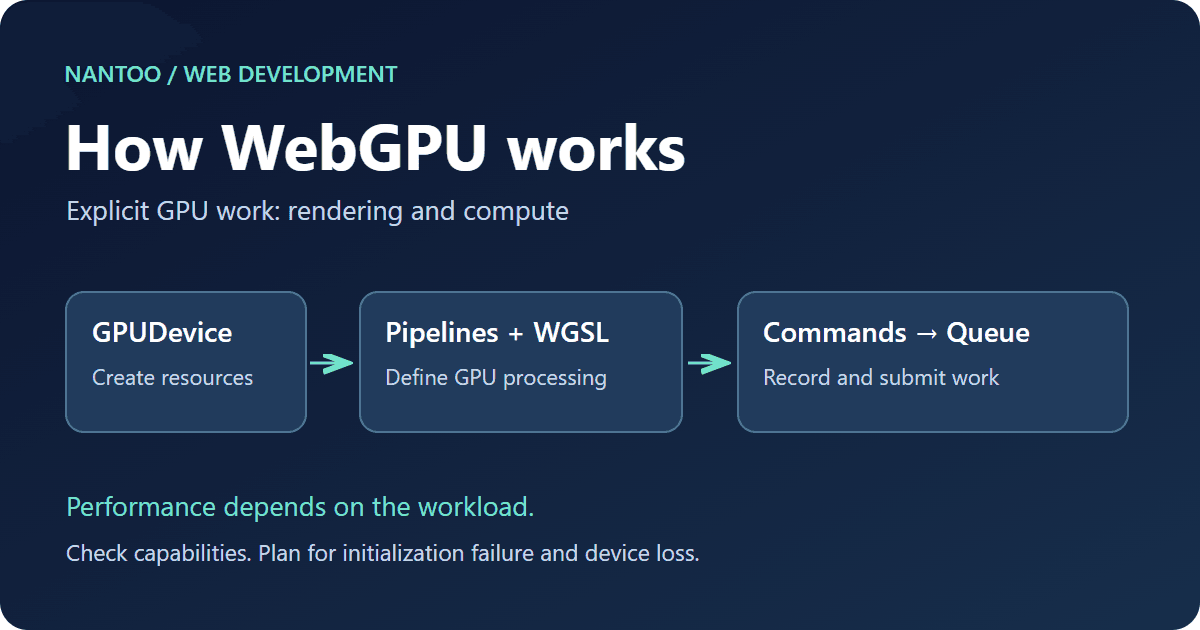
How WebGPU works: WebGL differences, GPUDevice, pipelines and WGSL
WebGPU is more than a newer 3D API. It exposes a model for rendering and computation that is closer to modern GPU interfaces. Browser-based games, CAD-style interfaces, image processing, particle systems and AI inference are among its potential uses.
Availability still depends on the operating system, GPU, driver and browser settings. On November 11, 2026, MDN labels WebGPU Limited availability. This article explains how it differs from WebGL, then introduces devices, pipelines, WGSL, compute shaders and fallback design.
Japanese original published: 2026-07-07
What WebGPU does
The WebGPU API lets a web page use a device’s GPU for demanding computation and complex rendering. It provides a browser-facing interface to GPU work rather than direct, unrestricted access to the hardware.
WebGPU is not limited to drawing. WebGL became widely used as a graphics API; WebGPU explicitly supports both rendering and compute.
Scroll horizontally if the table does not fit.
| Use case | Examples that suit WebGPU |
|---|---|
| 3D rendering | Many objects, post-processing, physically based rendering and particles |
| 2D and image processing | Filters, blur, color conversion, edge detection and thumbnail processing |
| Computation | Matrix operations, physics simulation and parts of machine learning workloads |
| In-browser AI | Inference for small to medium models, vector operations and quantized tensor processing |
Using WebGPU does not make every task faster. Moving data between the CPU and GPU, building pipelines, synchronizing work, allocating memory and performing browser validation all have costs. For small tasks, Canvas 2D, WebGL, WebAssembly or ordinary JavaScript can be simpler and faster.
How WebGPU differs from WebGL
WebGL brought the OpenGL ES model to the web and enabled browser-based 3D games and visualizations. It uses a stateful graphics interface: an application changes the current state and issues drawing commands.
WebGPU adopts ideas associated with modern GPU APIs such as Vulkan, Metal and Direct3D 12. Applications prepare configurations for rendering or computation, record commands with a command encoder, and submit the work to a queue.
WebGL workflow:
  bindBuffer()
  useProgram()
  enableVertexAttribArray()
  drawArrays()

WebGPU workflow:
  adapter -> device
  shaderModule -> pipeline
  commandEncoder -> renderPass / computePass
  queue.submit()
This changes more than the syntax. An application describes data formats, shaders, textures and buffers more explicitly. Initialization can be longer, but the browser and driver have more information available for validation and optimization before drawing.
WebGPU is therefore not simply an easier version of WebGL. It exposes more low-level responsibilities. Libraries such as Three.js and Babylon.js, as well as game engines and visualization frameworks, can use WebGPU as a backend, allowing application developers to benefit without writing every GPU operation themselves.
GPUAdapter and GPUDevice: requesting access
The entry point is navigator.gpu. In a supported environment, an application requests a GPUAdapter and then a GPUDevice. The following function checks for the API and handles unsuccessful requests.
async function requestWebGPUDevice() {
  if (!navigator.gpu) return null;
  try {
    const adapter = await navigator.gpu.requestAdapter();
    if (!adapter) return null;
    return await adapter.requestDevice();
  } catch (error) {
    console.warn("WebGPU initialization failed", error);
    return null;
  }
}
This function only obtains an initial device. It returns null if the API is absent, no adapter is available, or a request fails. If the application needs optional capabilities or higher limits, inspect the adapter’s features and limits, then request the appropriate requiredFeatures and requiredLimits. A returned device can already be lost, so a successful request guarantees neither immediate nor continued usability. Monitor device.lost; on loss, stop the rendering loop and either request a new adapter and device and rebuild all device-owned resources, or show a fallback. Do not automatically retry an intentional destroy(), and place a bound on recovery attempts.
A GPUAdapter represents a GPU implementation selected by the browser and the capabilities and limits it exposes. It may correspond to integrated or discrete graphics, but it can also be a software implementation; it is not necessarily a physical GPU itself. A GPUDevice is the logical interface through which the application creates resources and commands.
The distinction matters for the web security model. A page does not take unrestricted control of a GPU. The browser mediates access, available features, limits and compatibility before exposing a logical device.
Pipelines describe GPU work
A pipeline is a description of how GPU work will be processed. The two main kinds are render pipelines and compute pipelines.
Scroll horizontally if the table does not fit.
| Pipeline | Role | Typical uses |
|---|---|---|
| Render pipeline | Runs vertex and fragment processing to draw to a display target or texture | 3D views, visual effects and post-processing |
| Compute pipeline | Runs parallel computation independently of drawing | Image processing, physics and parts of AI inference |
A render pipeline specifies vertex and fragment shaders, vertex data layouts, output color formats and settings such as depth testing. A compute pipeline specifies the compute shader to run.
In WebGL, state changes can accumulate immediately before a draw call, making unintended state carry-over difficult to diagnose. WebGPU groups much of that configuration into pipelines. Pipeline creation can itself be expensive, so reuse or cache pipelines instead of creating them every frame.
WGSL: the shader language for WebGPU
Programs that run on the GPU through WebGPU are written in WGSL, the WebGPU Shading Language. When checked on November 11, 2026, the W3C publication was a Candidate Recommendation Draft dated November 6, 2026.
Attributes identify shader entry points. The main stage attributes are @vertex, @fragment and @compute.
@vertex
fn vs(@builtin(vertex_index) i: u32) -> @builtin(position) vec4f {
  let positions = array<vec2f, 3>(
    vec2f(0.0, 0.6), vec2f(-0.6, -0.6), vec2f(0.6, -0.6)
  );
  return vec4f(positions[i], 0.0, 1.0);
}

@fragment
fn fs() -> @location(0) vec4f {
  return vec4f(0.2, 0.7, 1.0, 1.0);
}

@compute @workgroup_size(64)
fn cs(@builtin(global_invocation_id) id: vec3u) {
  // Entry-point illustration only: no computation or output.
}
The vertex example is intended for draw(3) with the first vertex at zero. It supplies three positions for a triangle. The compute entry point is deliberately empty: it demonstrates syntax and produces no calculation result. Useful computation needs resource bindings, such as buffers, and a dispatchWorkgroups() call.
WGSL is designed with web validation in mind. Types, address spaces, bindings and entry points give the browser information to check before execution. These constraints help prevent a page from relying on unsafe GPU operations.
The browser does not simply hand the WGSL source string directly to the GPU. Its implementation validates and translates the program for the underlying graphics stack, such as Metal, Direct3D 12 or Vulkan. Applications work through the WebGPU and WGSL abstractions.
Command encoders and queues: record, then submit
The next fragment assumes an available device, a renderPipeline built from the WGSL, and a renderPassDescriptor containing a target texture view whose format matches the pipeline. Drawing to a canvas also requires obtaining and configuring its WebGPU context. This fragment alone is not a complete renderer.
WebGPU records rendering and compute commands in a GPUCommandEncoder. The completed command buffer is submitted to a GPUQueue.
const encoder = device.createCommandEncoder();

const pass = encoder.beginRenderPass(renderPassDescriptor);
pass.setPipeline(renderPipeline);
pass.draw(3);
pass.end();

device.queue.submit([encoder.finish()]);
This can look indirect at first, but the CPU and GPU are separate execution agents. Recording work on the CPU and submitting it in batches gives the implementation an explicit description of the operations and resource usage to manage.
Returning from queue.submit() does not mean the GPU has finished. Reading results on the CPU requires appropriate synchronization, such as a buffer’s mapAsync(). WebGL does not wait for GPU completion after every call either; explicit command recording and configuration are the relevant differences.
When designing a WebGPU application, think in batches of GPU work. Porting an application is more than replacing individual API calls.
Compute shaders extend the use cases
First-class compute shaders are an important difference from WebGL. A compute shader performs parallel GPU work without being tied to drawing pixels into a framebuffer.
Image processing illustrates the idea. Applying a filter to a ten-million-pixel image often involves substantial independent work per pixel. CPUs can also parallelize work, but GPUs are particularly suited to running many similar operations.
- Image blur, sharpening and color conversion
- Particle simulation and physics
- Preprocessing large vertex or instance data sets
- Matrix and tensor operations for neural networks
A compute shader does not guarantee a speedup. Data transfer, workgroup size, memory layout, pipeline reuse and whether results must be read back by the CPU all affect performance.
WebGPU is also used for in-browser AI inference. Whether a particular model runs comfortably depends on its size, quantization format, memory requirements, browser implementation and the device’s GPU.
Security: the browser remains in control
A GPU may be shared by the operating system, browser, other applications and other tabs. A relatively low-level web API must still fit the browser’s security model.
WebGPU validates buffer and texture usage, shader types, bindings and pipeline configurations. A validation error indicates that an operation did not satisfy the API’s validation rules.
These checks can make a failed draw difficult to diagnose when learning the API, but they are essential to preventing a web page from depending on invalid GPU memory accesses or undefined behavior.
WebGPU is exposed in secure contexts, such as HTTPS. A feature that works during local development may still be unavailable under production delivery conditions or browser settings. Include availability checks and an alternative experience in the design.
Availability: plan for unsupported environments
As checked on November 11, 2026, MDN still labels the WebGPU API Limited availability: it is not available in every widely used browser environment. That makes “WebGL is no longer needed” an unsafe assumption.
An application can start with a branching structure like this:
// Use the requestWebGPUDevice() function defined above.
const device = await requestWebGPUDevice();
if (device) {
  // Initialize a WebGPU renderer; handle setup errors and device loss.
} else {
  const fallbackCanvas = document.createElement("canvas");
  const gl = fallbackCanvas.getContext("webgl2");
  if (gl) {
    // Attach fallbackCanvas and initialize a WebGL2 renderer with gl.
  } else {
    // Provide Canvas 2D, a static image, or a server-side alternative.
  }
}
This is a control-flow fragment. The rendering and fallback UI described in the comments must be implemented separately. The presence of navigator.gpu alone does not establish that adapter and device requests or application setup will succeed. Initialization failures and device loss also need a fallback path. A canvas cannot acquire a different context type after one has been obtained, so switch to a new canvas when changing rendering backends.
For essential tasks in education, public services, healthcare, business applications or checkout flows, avoid making WebGPU the only way to complete the task. It can improve the experience, but the environments you need to serve still matter.
For specialist editors, 3D viewers, games, image processing and AI-assisted features where supported environments can be clearly specified, WebGPU can be a useful option. Suitable devices can handle substantial work entirely within the browser.
When WebGPU is a good fit
Choose WebGPU according to the workload and maintenance requirements, rather than assuming that a newer API is always preferable.
Scroll horizontally if the table does not fit.
| Often a good fit | Often a poor fit |
|---|---|
| Processing large numbers of pixels or vertices | Small DOM updates or ordinary form handling |
| 3D, particles, image filters and AI inference | A few charts or simple animations |
| Specialist tools with documented supported environments | Essential tasks that must work for every user |
| Projects that can invest in pipeline and buffer design | Short projects with little WebGPU maintenance experience |
WebGPU is not a general replacement for Canvas 2D or CSS animation. Its strengths appear when both the data and the work can be organized to suit GPU execution.
WebGPU makes GPU work explicit
The central change is not that browsers can suddenly use a GPU; WebGL already made that possible. WebGPU makes more of the configuration and submission of GPU work explicit.
- WebGL brought 3D to the web using the stateful OpenGL ES model.
- WebGPU makes work explicit through adapters, devices, pipelines, command encoders and queues.
- WGSL provides vertex, fragment and compute entry points.
- Compute support extends GPU use to image processing and AI workloads.
- Limited availability means availability checks and fallbacks remain necessary.
WebGPU does not immediately replace WebGL. It extends browser GPU programming toward modern graphics and compute models. For demanding rendering or computation, it is worth evaluating alongside the cost of implementation and the environments an application must support.
References and sources
Editorial note
This article was prepared with AI assistance and reviewed by an editor before publication. It may still contain factual errors, interpretation mistakes, or outdated information. Check the cited primary sources or official documentation before making an important decision.