

Validating JWT time claims: exp, iat and nbf
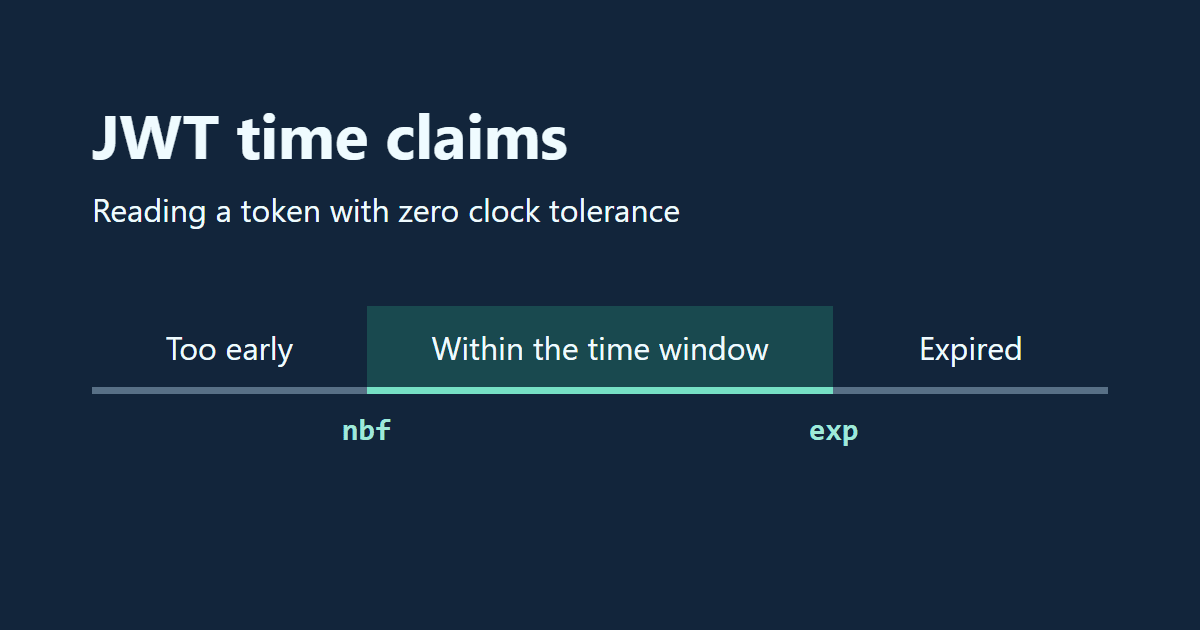
An API rejects a token as soon as you issue it. Before extending its lifetime, check whether the verifier sees it as expired or too early to use. A verifier whose clock runs slow can see a fresh token as too early to use, even with an hour left before expiration. Here are five ways the timestamps in a signed JSON Web Token can lead an implementation astray.
Japanese original published: 2026-04-17
Read the timestamps in seconds
A JSON Web Token (JWT) carries claims from an issuer to a recipient. A claim is a named value: in an invitation, sub identifies the invited user and exp gives the deadline. Reading those values tells you what the issuer is claiming; the API still has to verify them.
The examples use the compact JWS representation. Its three dot-separated parts are the header, the payload (a JSON object containing the claims), and the signature value, each encoded with Base64url. Anyone holding this token can decode the first two parts without a key. JWTs can also use the encrypted JWE representation.
With HS256, the issuer computes an HMAC-SHA-256 over the encoded header, a period, and the encoded payload, using a shared secret key. The verifier’s library computes the same MAC and checks it against the third part. Editing exp breaks that check. Letting time pass leaves the MAC intact, so the API must also check the intended use, the recipient and its own clock. Anyone with the shared key can mint tokens; keep it out of the invitee’s browser.
RFC 7519 uses NumericDate: seconds since the Unix epoch, ignoring leap seconds. Fractional seconds are allowed. JavaScript’s Date.now() returns milliseconds, so use Math.floor(Date.now() / 1000) for an integer issued-at time. RFC 7519 makes exp, iat and nbf optional. Each application decides which it requires.
Scroll horizontally if the table does not fit.
| Claim | Name | What it tells the verifier |
|---|---|---|
| exp | Expiration time | Reject at or after this instant, with zero clock tolerance. |
| iat | Issued at | When the issuer created this token. |
| nbf | Not before | The first instant the token may be used, with zero tolerance. |
| auth_time | Authentication time (OpenID Connect) | When the end user authenticated. |
Use this sample payload to follow the clock comparisons. The invitation example below also checks the signature and who the token is for.
{
  "sub": "user_123",
  "iat": 1713340800,
  "nbf": 1713340800,
  "exp": 1713344400
}
1. Distinguish an early token from an expired one
The sample becomes usable when issued and expires one hour later. At issuance, a verifier five seconds fast accepts it. A verifier five seconds slow rejects it because its clock has yet to reach nbf. Both results assume zero tolerance and valid credentials. If the error says “expired,” compare the verifier’s time with exp, in seconds.
These boundaries follow RFC 7519 §§4.1.4–4.1.5 and were tested in jsonwebtoken 9.0.2 and jose 6.1.0. The RFC permits a small allowance for clock skew. The 30-second column shows how these two versions implement that allowance.
Scroll horizontally if the table does not fit.
| Verifier’s time | Zero tolerance | 30-second tolerance |
|---|---|---|
| 30 seconds before nbf | Too early | Accepted |
| Exactly nbf | Accepted | Accepted |
| Exactly exp | Expired | Accepted |
| 30 seconds after exp | Expired | Expired |
Both jsonwebtoken’s verify and jose’s jwtVerify accept clockTolerance: 30. Increasing tolerance admits tokens earlier as well as later. Monitor clock synchronization and choose a tolerance that your application can afford on both sides.
2. Separate token age from time since sign-in
A token issued just now may belong to someone who signed in yesterday. To request recent authentication in OpenID Connect, send max_age in the authentication request. The resulting ID token must include auth_time, which the client can use to check how much time has passed since authentication.
In both library versions above, a signed token with iat 120 seconds in the future passed when other checks succeeded and no maximum token age was set. With a maximum age of 300 seconds and zero tolerance, jsonwebtoken’s maxAge still accepted it, while jose’s maxTokenAge rejected it. Test your chosen verifier if your policy rules out future issue times. Define the lifetime of the session separately from that of each token issued during it.
3. Start a scheduled invitation’s lifetime at release
Suppose an invitation opens eight days from now and should work for seven days after that. In jsonwebtoken, expiresIn: "7d" normally counts from issuance. If you issue the token today with that option, it expires on day seven, a full day before the invitation opens. Derive both boundaries from its release date instead.
// jwt is jsonwebtoken. releaseDate is a Date; secret is a securely stored
// random HS256 shared key of at least 256 bits.
if (typeof userId !== "string" || !userId) throw new Error("Recipient required");
const nbf = Math.ceil(releaseDate.getTime() / 1000);
if (!Number.isFinite(nbf)) throw new Error("Invalid release date");
const exp = nbf + 7 * 24 * 60 * 60;
const token = jwt.sign({ sub: userId, nbf, exp }, secret, {
  algorithm: "HS256", issuer: "invite-service", audience: "invite-api"
});
The example rounds a release time with fractional seconds up to the next whole second, then counts seven days from there. Rounding down could open the invitation up to 999 milliseconds early. With zero tolerance, the verifier accepts it starting at nbf and stops at exp. Keep the verifier’s clock synchronized: even zero tolerance allows early access in real time if that clock runs fast.
4. Distinguish refresh token rotation from session expiry
A JWT’s exp is an absolute timestamp. Using the token or refreshing a session leaves the timestamp in that token unchanged. An OAuth refresh token can also be an opaque string, with last-use time and revocation state kept on the server. An idle timeout and an absolute deadline measured from sign-in serve different purposes.
Rotation detects reuse. At each refresh, the authorization server issues a new refresh token, invalidates the old one and retains their relationship. If the invalidated token is presented again, the server revokes the active refresh token in that family. RFC 9700 requires authorization servers issuing refresh tokens to public clients to use sender-constrained refresh tokens or rotation to detect replay.
5. Verify the signed claims before accepting the invitation
A decoder can display a payload even if its signature is invalid. Change only exp and a decoder shows the new deadline, but verification against the original signature fails. Use the trusted issuer’s key and specify the algorithm, issuer and audience your endpoint expects.
// Get sessionUserId from the authenticated session.
if (typeof sessionUserId !== "string" || !sessionUserId) {
  throw new Error("Sign-in required");
}
const claims = jwt.verify(token, secret, {
  algorithms: ["HS256"], issuer: "invite-service", audience: "invite-api",
  subject: sessionUserId, clockTolerance: 0
});
if (!Number.isFinite(claims.exp) || !Number.isFinite(claims.nbf)) {
  throw new Error("Invitation requires exp and nbf");
}
if (claims.exp - claims.nbf > 7 * 24 * 60 * 60) {
  throw new Error("Invitation lifetime exceeds seven days");
}
Even a trusted issuer can accidentally sign a longer invitation. This API enforces the seven-day cap itself. It reserves the audience invite-api for invitations and checks that sub matches the signed-in recipient. If one issuer and audience handle multiple token types, define distinct validation rules for each use.
Checking a timestamp when present and requiring it to exist are separate operations. In jose, requiredClaims: ["exp", "nbf"] requires both claims. Keep allowed algorithms and key sources under the verifier’s control: an unverified header must never dictate which algorithms or key servers to trust.
Checks to run in your implementation
- Agree on which claims are required and whether there is a maximum token age.
- In tests, set the verifier’s clock to a known time and check just before and exactly at each boundary.
- First change the payload without re-signing it. Then sign separate test tokens with the trusted test key: use the wrong audience in one and omit one required claim at a time in the others. Check that each token fails for the intended reason.
- When rotating public keys, use the key ID (
kid) to select a key from the trusted issuer’s key set. Keep validation rules specific to the token’s purpose.
References and sources
- RFC 7515 — JSON Web Signature (JWS) structure and validation ↗
- RFC 7519 — JSON Web Token ↗
- RFC 7518 §3.2 — HMAC key size ↗
- RFC 8725 — JWT Best Current Practices ↗
- RFC 9700 — Best Current Practice for OAuth 2.0 Security ↗
- OpenID Connect Core 1.0 — ID Token ↗
- jsonwebtoken 9.0.2 — Signing and verification options ↗
- jose 6.1.0 — JWT claims validation ↗
Editorial note
This article was prepared with AI assistance and reviewed by an editor before publication. It may still contain factual errors, interpretation mistakes, or outdated information. Check the cited primary sources or official documentation before making an important decision.