

Web Speech API explained: browser text-to-speech, DECtalk and neural TTS
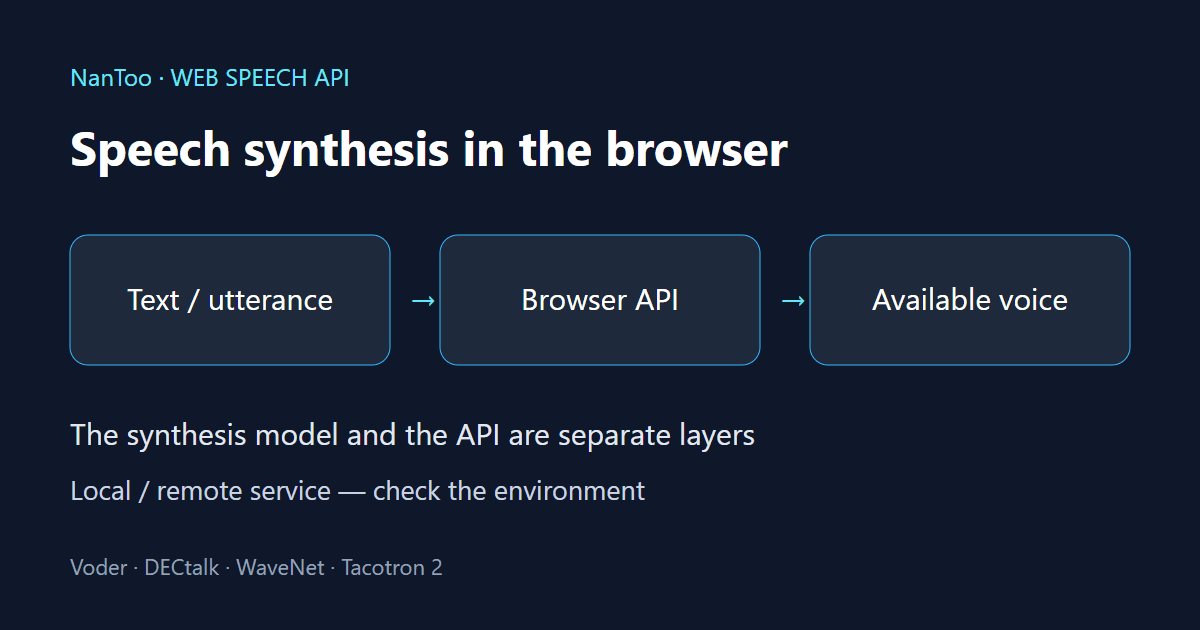
A browser reads text aloud by passing an utterance to a speech engine. The Web Speech API is not itself the model that generates the voice. This guide connects the history of Voder, DECtalk and neural TTS with the practical work of selecting voices, checking privacy conditions and managing playback.
Japanese original published: 2026-05-13
Speech synthesis history: Voder, DECtalk and CallText
At the 1939 New York World’s Fair, Bell Labs demonstrated Homer Dudley’s Voder. An operator used keys and a pedal to produce speech. This was different from today’s text-to-speech systems, which read written text automatically.
DECtalk emerged in the 1980s from work associated with Dennis Klatt and other researchers. Its Perfect Paul voice was based on Klatt’s voice. However, Stephen Hawking’s device was a Speech Plus CallText 5010, not a DECtalk. A shared technical lineage involving MITalk does not make the products identical.
There are also different ways to generate speech. The following are examples, not an exhaustive two-category classification.
Scroll horizontally if the table does not fit.
| Method | Basic idea |
|---|---|
| Formant synthesis | Generate speech by modelling properties such as vocal-tract resonances. DECtalk belongs to this family. |
| Concatenative synthesis | Select and join recorded speech fragments, with adjustments for transitions and intonation. |
Historical source: Computer History Museum. Method comparison: the museum and Google DeepMind. Full references appear at the end of this article.
The operating system, the engine and the API are different layers
Desktop platforms have long provided APIs through which applications can use speech functionality. Microsoft’s Speech API, or SAPI, is one example. Calling SAPI a “concatenative synthesis engine” confuses an interface with the engine behind it that turns text into sound.
The Web Speech API similarly provides access to speech synthesis from a browser. A browser does not necessarily expose every voice installed in the operating system. Availability, voice choices and processing location depend on the browser, operating system, settings and service. Check the voices actually available in that environment with getVoices().
What the Web Speech API covers, and what support means
The Web Speech API covers both speech recognition, which turns speech into text, and speech synthesis, which turns text into speech. This article concerns synthesis. Recognition support and microphone-permission requirements should not be assumed to apply to synthesis.
The specification checked on November 12, 2026 is a Draft Community Group Report, not a W3C Recommendation. Describing it as a specification finalized in 2012 would be misleading.
Can I use lists speech synthesis support from Chrome 33, Safari 7, Firefox 49 and Edge 14. These are historical API-support milestones, not promises about a particular voice, language, quality level or identical implementation of every feature. For a current deployment, check API availability, inspect the voice list and test on the target devices.
How the API works: create an utterance and choose a voice
Place the following script after a <button id="speak" type="button">Read aloud</button> element in an HTML page. It starts a short utterance from a click and does not speak if no local English voice is available. The example assumes it is the only code managing the page’s speech queue. Normally, speak() adds an utterance to that queue. Here, cancel() stops and removes earlier utterances, so clicking again with an available voice starts a fresh utterance; resume() does not restore canceled speech. If the voice list is initially empty, wait for it to populate and click again; the voice-list observer below does not retry playback.
if ("speechSynthesis" in window && "SpeechSynthesisUtterance" in window) {
  const synth = window.speechSynthesis;
  document.getElementById("speak").addEventListener("click", () => {
    const voice = synth.getVoices().find(v =>
      v.localService && /^en(?:-|$)/i.test(v.lang));
    if (!voice) {
      console.log("No local English voice is available yet");
      return;
    }
    const utterance = new SpeechSynthesisUtterance("Hello");
    utterance.voice = voice;
    utterance.lang = voice.lang;
    utterance.rate = 1;
    utterance.pitch = 1;
    utterance.volume = 1;
    utterance.onend = () => console.log("Utterance ended");
    utterance.onerror = event => console.error("Speech error", event.error);
    synth.cancel();
    synth.resume();
    synth.speak(utterance);
  });
} else {
  console.log("Speech synthesis is not available in this environment");
}
speak() takes an utterance object. Calling it is not proof that playback succeeded; handle errors as well. The API ranges are 0.1–10 for rate, 0–2 for pitch and 0–1 for volume, but engines differ in the ranges and effects they support. This short example does not implement long-text chunking, timeouts or an on-screen status display.
The voice list can change later
The initial list can be empty, so handle both an initial read and the voiceschanged event. The independent example below logs the list without starting playback. Call its returned function when the view is disposed of to remove the listener. If the list stays empty, check the operating system’s voice settings and what the browser provides.
function watchLocalVoices(onChange) {
  if (!("speechSynthesis" in window)) return () => {};
  const synth = window.speechSynthesis;
  const update = () => onChange(synth.getVoices().filter(v =>
    v.localService && /^en(?:-|$)/i.test(v.lang)));
  synth.addEventListener("voiceschanged", update);
  update();
  return () => synth.removeEventListener("voiceschanged", update);
}
const stopWatching = watchLocalVoices(voices => console.log(voices));
// Call stopWatching() when the view or component is disposed of.
Utterance events include start, end, error, pause and resume. The boundary event can report word or sentence boundaries, but engines do not necessarily report them at the same granularity. An end notification is not proof that the user heard sound or that the pronunciation was correct.
Voice differences and privacy
Voice selection and quality vary with the browser, operating system, device settings and speech service. A browser’s name alone does not guarantee a particular voice or quality. Inspect the list returned by getVoices(). Voice names are not necessarily unique, and a voice at a given array position may change when the list updates.
localService is the processing classification reported by the browser: true indicates a local service, while false indicates a remote service. A remote service may send the text to the voice provider. This classification is not a guarantee that no communication occurs anywhere on the device or through extensions.
NanToo’s text-to-speech tool (Japanese interface) initially shows only local voices. Remote voices require the user to remove that filter and select a voice explicitly. If the selected voice disappears, the tool does not automatically switch to another one. The tool does not send or save the input text to NanToo’s server, but sensitive text also requires checking the device and voice provider’s conditions.
Neural TTS: WaveNet and Tacotron 2
WaveNet, introduced in 2016, is an autoregressive neural network that generates raw audio one sample at a time. Each new sample depends on previously generated samples, which made the original approach computationally expensive. Reported listening-test improvements apply to the systems and conditions used in those experiments; they do not establish superiority over every speech-synthesis system.
Google’s December 2017 introduction of Tacotron 2 describes a system that predicts a mel spectrogram from text characters, then uses a WaveNet-based vocoder to produce an audio waveform. A mel spectrogram represents how the frequency distribution changes over time, using a scale informed by human hearing. This character-input example should not be described as necessarily taking a sequence of phonemes.
Microsoft announced a preview of its neural TTS service in September 2018. A research announcement or cloud product launch does not, however, mean that its voices will appear in a particular browser’s getVoices() list. Neural TTS also has multiple architectures; a fixed three-stage pipeline does not describe every system.
Long text and playback state
Chromium has had reports of speech stopping partway through long text. That does not establish a universal 15-second limit in current environments. Periodically calling pause() and resume() is not a guarantee of reliable playback either.
cancel() clears the utterance queue but does not clear the paused state. Use resume() to clear it when starting new playback. Assign an identity to each playback session and utterance so that a late event from a stopped utterance is not mistaken for an event from the new one. Distinguish errors from completion and avoid waiting indefinitely when the engine does not respond.
NanToo’s tool accepts up to 5,000 UTF-16 code units and splits the text into chunks of at most 200 code units without splitting grapheme clusters. For overlong input, it retains only the first 5,001 code units to detect the excess and does not play the text. It trims whitespace around chunks and rejects a single grapheme cluster exceeding 200 code units. It stops playback at a limit of 90 seconds per chunk or 20 minutes for the whole session, including time spent paused. Detection or stopping can be delayed in a background tab, with the screen locked or while the device sleeps. Changes to the text, voice, filter or settings stop playback.
Chunking does not guarantee that engine failures or pronunciation errors will disappear. Unnatural pauses can occur between chunks. A completion indicator reflects an engine notification, not a measurement of audio volume or a check of the actual pronunciation.
SSML: markup for how text should be spoken
Speech Synthesis Markup Language (SSML) is an XML-based language for describing how text should be spoken. SSML 1.1 became a W3C Recommendation on September 7, 2010. The example below includes the XML namespace; it does not promise identical speech output across browsers.
<speak xmlns="http://www.w3.org/2001/10/synthesis"
       version="1.1" xml:lang="en-US">
  Hello.
  <break time="500ms"/>
  <prosody rate="slow" pitch="+10%">Read slowly at a higher pitch.</prosody>
</speak>
break specifies a pause; prosody controls properties such as rate and pitch. Phoneme alphabets and the interpretation of say-as values are not necessarily shared by every engine.
The Web Speech API specification allows plain text or well-formed SSML as utterance text, but SSML interpretation and support depend on the implementation. It is therefore inaccurate to say that only cloud APIs can handle SSML. NanToo’s tool rejects SSML/XML and expressions enclosed in angle brackets, limiting playback to plain text with rate, pitch and volume settings.
Limits to understand before using the API
- Voices and quality: these depend on the browser, operating system, settings and voice provider.
- Audio data: SpeechSynthesis has no standard method that returns the synthesized output as a Blob or audio stream. Adding WebCodecs does not by itself expose that output.
- SSML and events: test the implementations you intend to support.
- Long text: chunking and timeouts are mitigations, not a guarantee of completion in every environment.
- Custom voices: there is no API for a page to register an arbitrary model in the SpeechSynthesis voice list.
Running a separate TTS model with WebAssembly or WebGPU is a different design from using the browser’s SpeechSynthesis service. For reading text aloud, start by checking the voices available, where processing happens and how playback state is handled. If you need to generate an audio file or use a specific model, consider a synthesis method that supports those requirements.
References and sources
- webaudio.github.io: Web Speech API ↗
- MDN Web Docs: ウェブ音声 API - Web API ↗
- caniuse.com: Speech Synthesis API | Can I use... Support tables for HTML5, CSS3, etc ↗
- computerhistory.org: Bringing A New Voice to Genius—MITalk, the CallText 5010, and Stephen Hawking’s Wheelchair - CHM ↗
- Google Research: Tacotron 2: Generating Human-like Speech from Text ↗
- Microsoft Azure Blog: Microsoft’s new neural text-to-speech service helps machines speak like people ↗
- Chromium: Speech Synthesis stops abruptly after about 15 seconds ↗
- Google DeepMind: WaveNet: A generative model for raw audio ↗
- Microsoft Learn: Text-to-Speech Tutorial (SAPI 5.3) ↗
- MDN Web Docs: SpeechSynthesis: getVoices() method - Web APIs ↗
- MDN Web Docs: SpeechSynthesis: cancel() method - Web APIs ↗
- W3C: Speech Synthesis Markup Language (SSML) Version 1.1 ↗
- WHATWG: HTML Standard ↗
- MDN Web Docs: SpeechSynthesisUtterance - Web APIs ↗
- MDN Web Docs: SpeechSynthesisVoice: localService property - Web APIs ↗
- MDN Web Docs: SpeechSynthesisUtterance: boundary event - Web APIs ↗
Editorial note
This article was prepared with AI assistance and reviewed by an editor before publication. It may still contain factual errors, interpretation mistakes, or outdated information. Check the cited primary sources or official documentation before making an important decision.