

HEIC, HEIF and HEVC explained: iPhone photos, conversion and patent licensing
You send an iPhone photo, but the recipient cannot open the .heic file. To understand why, separate the file container, the image compression method and the receiving app’s support.
HEIC can reduce photo storage requirements, but a HEIC file is not guaranteed to be half the size of a comparable JPEG. This article explains the underlying ideas and what to check when converting a file, while keeping patent licensing separate from compatibility.
Japanese original published: 2026-05-24
HEIF is a container; HEVC is a codec; HEIC combines them
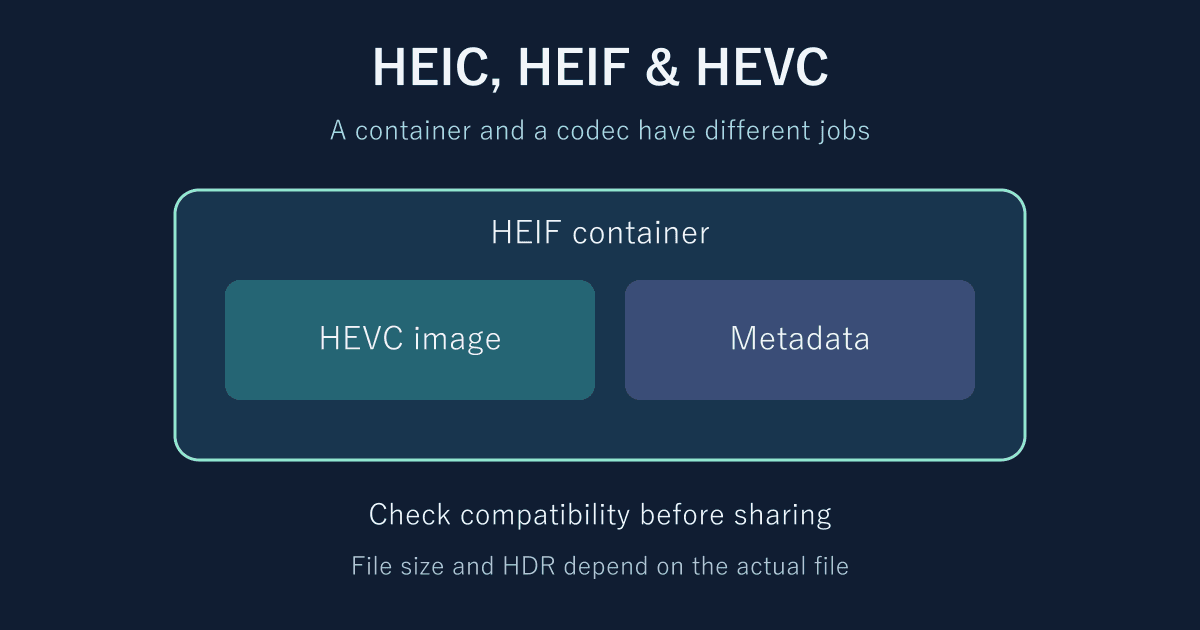
HEIF—High Efficiency Image File Format—organizes images and associated information in a file. HEVC—High Efficiency Video Coding, also known as H.265—encodes image and video data. A photo commonly called HEIC contains HEVC-encoded image data in a HEIF structure. The extension alone does not establish every feature or supported profile.
Scroll horizontally if the table does not fit.
| Name | What it does | What it does not establish on its own |
|---|---|---|
| HEIF | Structures images, metadata and relationships between images | The codec, image quality or support in every app |
| HEVC / H.265 | Defines how image data is encoded and decoded | The file extension or camera app settings |
| HEIC | A name and extension used for HEIF files containing HEVC images | A fixed size reduction, 10-bit depth or HDR |
| AVIF | Specifies how to store AV1 images in HEIF | Support in an app merely because it can open HEIC |
Table sources: Nokia: HEIF Technical Information - High Efficiency Image File Format; Alliance for Open Media: AV1 Image File Format (AVIF).
Renaming a file from .heic to .jpg does not convert it. Conversion requires decoding the image and encoding it in the destination format.
HEIF structure, bit depth, HDR and Live Photos
The first HEIF edition was ISO/IEC 23008-12:2017. At the November 2026 review, the published current edition is the third edition, dated 2025. Built on the ISO Base Media File Format, HEIF accommodates images, image collections or sequences, and related metadata. A format’s capabilities do not mean that every device saves or displays every feature.
The container name does not determine bit depth. Eight bits can represent 256 values per component; ten bits can represent 1,024. It is incorrect to describe every HEIC file as 10-bit. Check the codec profile and actual encoding settings. Common baseline JPEG images are 8-bit, but that does not describe the entire JPEG standard.
Ten-bit depth alone does not establish HDR, either. Transfer characteristics, color information, relevant metadata and the display pipeline matter too. Higher bit depth and a wider color gamut are not the same property.
HEIF has mechanisms for auxiliary images, thumbnails, image relationships and transformations. Not every HEIC file contains transparency or depth information. Apple’s Live Photos are also more than a burst of pictures inside one HEIF file: PhotoKit exposes a paired video resource for the still image. Converting one HEIC image to JPEG does not preserve the complete Live Photo.
Why still images can be smaller: prediction and residual coding
Photos often contain neighboring pixels with similar colors and edges that continue across an area. HEVC intra prediction uses already reconstructed neighbors within the same image to predict a target block. The difference between that prediction and the original image is coded as a residual. Compressing an independent still image does not require predicting motion from earlier or later video frames.
HEVC can partition regions starting from coding tree blocks of up to 64×64 luma samples. Luma intra prediction has 35 modes: 33 angular modes, plus planar and DC. These are not 35 directions. Being able to choose partitions and predictions for smooth regions and complex edges contributes to coding efficiency.
In ordinary lossy coding, residuals are transformed and quantized, and information such as the resulting symbols is entropy coded. Quantization discards information, which can change detail or color. Keeping the original pixel dimensions does not, by itself, make a conversion lossless.
A video bitrate comparison against H.264 cannot simply be reused as a photo file-size comparison against JPEG. Even with an efficient codec, actual size and appearance depend on the image, encoder, quality settings, metadata and other factors.
How to evaluate “half the size of JPEG”
WebKit’s Safari 17.0 announcement describes a storage advantage for HEIC over JPEG, but it does not guarantee a fixed reduction for every photo. A setting such as “quality 80” does not necessarily mean the same quality in different formats or applications.
For a comparison, use the same source image, dimensions and color treatment, then compare visible quality at the intended viewing size and the final file size in bytes. Include images with different challenges: small text, hair or leaves, noise in shadows, and smooth skies.
Suppose a JPEG occupies 4.0 MB and a HEIC version occupies 2.4 MB. The reduction is (4.0 − 2.4) ÷ 4.0 × 100 = 40%. The HEIC file is 60% of the JPEG’s size. These are hypothetical numbers for the calculation, not measurements from an iPhone. Recompressing an existing lossy image is also different from encoding both versions from a common original.
iPhone capture settings and transfer conversion are separate
Apple introduced HEIF and HEVC support with iOS 11. On supported devices, Settings → Camera → Formats → Most Compatible selects JPEG and H.264 for new photos and videos. High Efficiency switches back to HEIF and HEVC. This setting does not batch-convert existing photos.
USB imports may involve conversion. To retain originals, Apple documents Settings → Apps → Photos → Keep Originals. Labels and menu locations can vary with OS version and language. This is separate from the capture-format setting.
Sharing through AirDrop or email may produce a compatible format, but automatic JPEG conversion is not guaranteed for every destination or web upload. iCloud Photos retains the original format. When necessary, use an export option such as JPEG in Photos or Preview on a Mac and check the file you will send.
What to check when converting: more than image quality
An OS being able to open HEIC does not mean that a browser or upload form accepts the same files. Safari 17.0 announced HEIC support, but that is not a guarantee for every browser or service. Test a few files all the way through to opening them at the destination.
Scroll horizontally if the table does not fit.
| Goal | Possible approach | What to check |
|---|---|---|
| Preserve captured information | Keep the original HEIC and associated resources | Whether Live Photo video or editing information is stored separately and retained |
| Share a photo widely | Export a JPEG copy | Orientation, quality, color, required metadata and destination restrictions |
| Save decoded pixels in a lossless format | Export PNG with suitable settings | Whether color or bit-depth conversion discards information. Earlier lossy-compression damage is not reversed. |
| Use another highly compressed format for the web | Consider AVIF or another suitable format | The complete creation, delivery and display pipeline, including any fallback image |
Compare orientation, dimensions, highlights, shadows and skin tones with the original after conversion. For HDR-to-SDR conversion, examine tone mapping too. Preservation of transparency, depth, auxiliary images, capture time, location and color profiles depends on the software and its settings. Decide whether a publicly shared copy should retain location information.
A cautious workflow is to convert a small selection, reopen the results and keep the originals while making the copies you need. This article explains formats; it does not promise that a particular converter preserves all of this information.
Patent pools: reading a specification is not an implementation license
When implementing HEVC in a product, access to the standard and patent licensing are separate matters. A patent pool combines licensing for patents from multiple holders. A license from one pool does not necessarily cover every relevant patent worldwide.
Historical accounts of HEVC licensing include names such as MPEG LA, HEVC Advance and Velos Media. It is inappropriate to present them as a fixed set of three independent pools today, or to quote old rate tables as current costs. Administration and contracts change. Check the current program, covered patents, products, territories and exemption conditions.
The HEVC Advance page from Access Advance provides information about its patents and licensing arrangements. “Runs in a browser,” “distributed for free” and “for personal users” are not, by themselves, grounds for declaring every implementation exempt from patent royalties. A person opening a photo is also a different case from a business distributing or providing a decoder. This article does not determine payment obligations for an individual product.
How AVIF differs, and how to choose a format
AVIF specifies how to store AV1-encoded images in HEIF. A shared container family does not make the codecs interchangeable: the ability to decode HEVC does not establish the ability to decode AV1. AVIF storage rules and supported profiles matter in addition to the AV1 bitstream specification.
The AOM patent license grants royalty-free rights to licensors’ covered claims, subject to its terms. That must not be rewritten as a guarantee that there are no patents or that no third party can ever make a claim. The implementation software’s copyright license is a separate consideration.
For preservation, prioritize originals and necessary associated information. For sharing, check the recipient’s support. For web delivery, consider the display pipeline as well as size and quality. Keeping originals and preparing copies for particular uses makes problems easier to diagnose than treating HEIC, JPEG, PNG or AVIF as universally suitable.
References and sources
- ISO: ISO/IEC 23008-12:2017 — Information technology — High efficiency coding and media delivery in heterogeneous environments — Part 12: Image File Format ↗(Bibliographic information for the first edition, published in 2017. The 2025 edition is also referenced as the current edition.)
- ITU: H.265 : High efficiency video coding ↗
- www.loc.gov: High Efficiency Image File (HEIF) Format, MPEG-H Part 12 ↗
- Wikipedia: High Efficiency Image File Format - Wikipedia ↗(An index to primary sources.)
- Wikipedia: High Efficiency Video Coding - Wikipedia ↗(An index to history and terminology, not a source for current licensing terms.)
- accessadvance.com: HEVC Advance - Access Advance ↗
- www.via-la.com: HEVC/VVC - Via Licensing Alliance ↗
- aomediacodec.github.io: AV1 Bitstream & Decoding Process Specification ↗(The HTML page identifies itself as a working document. For implementation, check the approved specification and its version.)
- ISO: ISO/IEC 23008-12:2025 — Information technology — High efficiency coding and media delivery in heterogeneous environments — Part 12: Image File Format ↗
- Apple: Using HEIF or HEVC media on Apple devices ↗
- Nokia: HEIF Technical Information - High Efficiency Image File Format ↗
- Apple: PHAssetResourceType.pairedVideo ↗
- Alliance for Open Media: AV1 Image File Format (AVIF) ↗
- Alliance for Open Media: Alliance for Open Media Patent License 1.0 ↗
- WebKit: WebKit Features in Safari 17.0 ↗
Editorial note
This article was prepared with AI assistance and reviewed by an editor before publication. It may still contain factual errors, interpretation mistakes, or outdated information. Check the cited primary sources or official documentation before making an important decision.