

Mbps vs MB/s: Bits, Bytes, and Binary Prefixes Explained
A nominal 1 Gbps link rate corresponds to 125 MB/s before protocol overhead and environmental limits are considered. Nothing has disappeared: network rates are normally expressed in bits per second, while file transfer applications often display bytes per second, and 1 byte = 8 bits.
Japanese original published: 2026-05-29
The factor of eight comes from bits and bytes
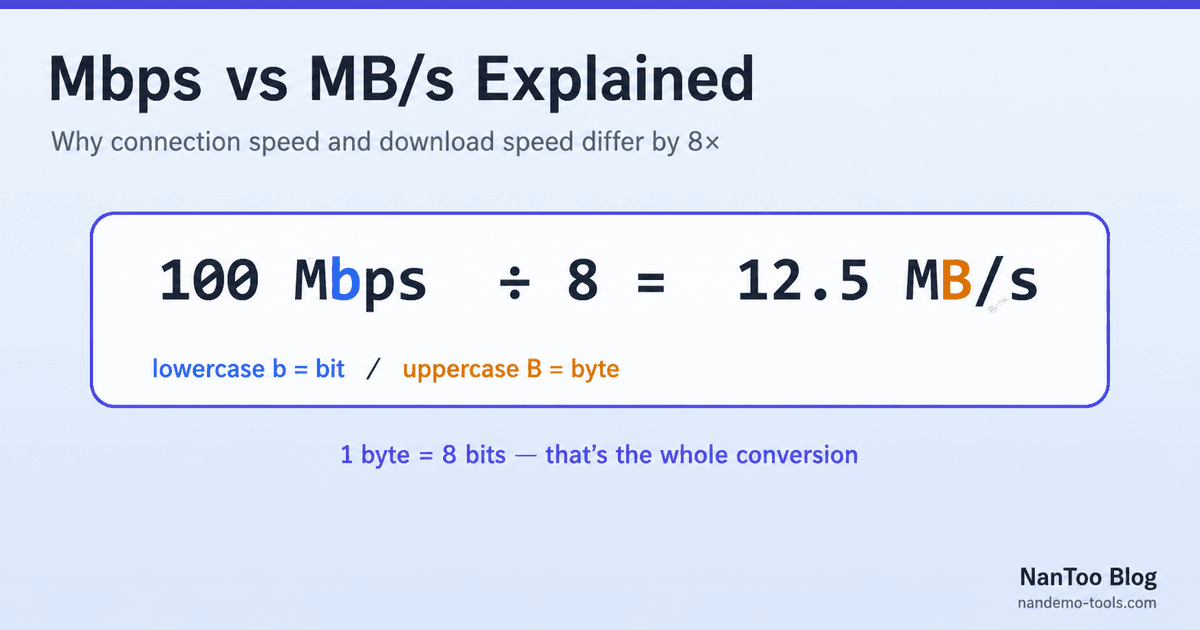
1 byte = 8 bits
100 Mbps ÷ 8 = 12.5 MB/s
1 Gbps ÷ 8 = 125 MB/s- Mbps means megabits per second and is commonly used for network links.
- MB/s means megabytes per second and is commonly used for file transfers and storage.
Letter case matters: lowercase b represents bit; uppercase B represents byte. A displayed rate of 125 MB/s on a 1 Gbps link would match the decimal unit conversion exactly, before accounting for overhead.
Why networks use bits and files use bytes
A bit is a binary digit, 0 or 1. Transmission systems describe capacity as the number of bits carried per second, so modem, Ethernet, mobile, and fibre rates are normally stated in bit/s.
Modern storage and file systems organise data in bytes, where one byte is eight bits. That historical division of labour gives us network speeds in Mbps and file sizes or transfer displays in MB and MB/s.
1 Mbps ÷ 8 = 0.125 MB/s = 125 kB/s
200 Mbps ÷ 8 = 25 MB/s
1 Gbps ÷ 8 = 125 MB/s
Decimal prefixes and binary prefixes are a separate issue
The bit-versus-byte conversion explains the factor of eight. A different, smaller discrepancy comes from whether a prefix represents a power of 1,000 or a power of 1,024.
SI prefixes are decimal: 1 kbit = 10³ bit, 1 Mbit = 10⁶ bit, and 1 Gbit = 10⁹ bit. IEC introduced unambiguous binary prefixes such as Ki, Mi, and Gi for powers of 2. NIST lists the same definitions.
Scroll horizontally if the table does not fit.
| Binary unit | Bytes | Decimal counterpart |
|---|---|---|
| 1 KiB = 2¹⁰ B | 1,024 | 1 kB = 1,000 B |
| 1 MiB = 2²⁰ B | 1,048,576 | 1 MB = 1,000,000 B |
| 1 GiB = 2³⁰ B | 1,073,741,824 | 1 GB = 1,000,000,000 B |
| 1 TiB = 2⁴⁰ B | 1,099,511,627,776 | 1 TB = 1,000,000,000,000 B |
The binary value is about 4.86% larger at the mebi/mega scale, 7.37% at gibi/giga, and 9.95% at tebi/tera—not a factor of eight. Network rates written as Mbps or Gbps are normally decimal.
Why a 1 TB drive can appear as about 931
A storage manufacturer normally defines 1 TB as 1,000,000,000,000 bytes. Dividing that byte count by 2³⁰ gives:
10¹² bytes ÷ 1,073,741,824 bytes/GiB ≈ 931.3 GiBSome interfaces label that binary result as “GB” even though “GiB” is the unambiguous symbol. The capacity has not vanished; the same byte count is being grouped with a different divisor. Apple documents that its current storage-capacity displays use decimal units.
Applying the conversion in practice
Internet access: divide Mbps by 8 to obtain the decimal MB/s ceiling. Real throughput is lower when protocol overhead, retransmission, congestion, Wi-Fi conditions, server limits, or storage limits intervene.
Video: divide the video bitrate by 8, then multiply by duration to estimate data size. An 8 Mbps stream is 1 MB/s, or about 3.6 GB per hour before container and variable-bitrate effects.
Storage speed: SSD and USB drive specifications are commonly already written in MB/s. Do not divide those values by eight unless you are converting them to Mbit/s.
NanToo's File Transfer Time Calculator combines file size, transfer rate, and an adjustable throughput reduction to estimate real-world transfer time.
Summary
- The eightfold difference between Mbps and MB/s comes from 1 byte equalling 8 bits.
- Lowercase b means bit; uppercase B means byte.
- Decimal M means 10⁶, while binary Mi means 2²⁰.
- A 1 TB drive appearing as about 931 GiB is a unit-label issue, not missing storage.
- Protocol and environmental losses are separate from unit conversion.
References and sources
Editorial note
This article was prepared with AI assistance and reviewed by an editor before publication. It may still contain factual errors, interpretation mistakes, or outdated information. Check the cited primary sources or official documentation before making an important decision.