

DPI vs PPI: Calculate Resolution for Screens and Print
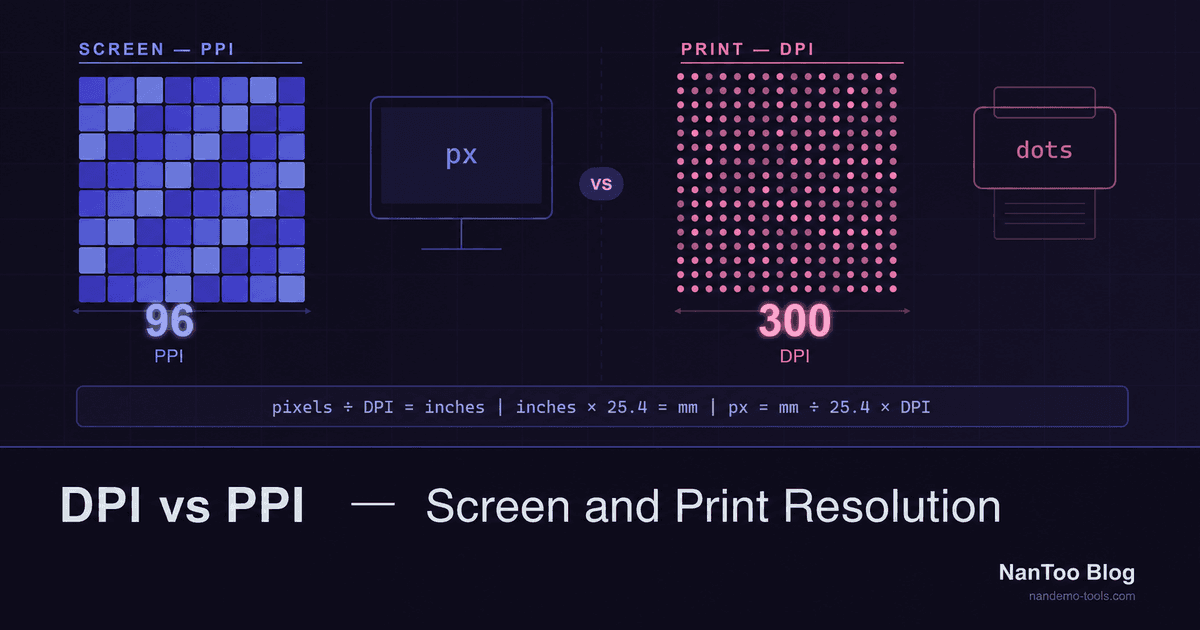
When someone asks for a “300 DPI image,” what they usually need to know is how many image pixels will be assigned to each inch of the finished print. That is image PPI. It is not the same measurement as the DPI of the dots produced by a printer, so this guide keeps the two concepts separate.
Japanese original published: 2026-05-09
DPI and PPI measure different things
Scroll horizontally if the table does not fit.
| Term | Meaning | Main use |
|---|---|---|
| PPI | Image pixels per inch of finished output | The relationship between a digital image and its print size |
| DPI | Dots produced by an output device per inch | Printers and printing methods |
Print workflows sometimes use “DPI” informally when they mean image PPI. A 300 ppi image and a printer advertised with a much higher dpi are not in one-to-one correspondence. NanToo therefore labels calculations based on pixel dimensions and finished size as PPI.
How to calculate the required pixels
One inch is exactly 25.4 millimetres. The core calculations are:
PPI = pixel count ÷ print size in inches
required pixels = print size in mm ÷ 25.4 × target PPI
Scroll horizontally if the table does not fit.
| Finished size | Target PPI | Required pixels, rounded |
|---|---|---|
| Japanese postcard, 100 × 148 mm | 300 | 1,181 × 1,748 px |
| A4, 210 × 297 mm | 300 | 2,480 × 3,508 px |
| A3, 297 × 420 mm | 150 | 1,754 × 2,480 px |
Add bleed, trimming, or a required rounding method when the print provider specifies them. The paper dimensions alone do not always determine the required document dimensions.
Because pixel counts must be whole numbers, recalculating the effective PPI after rounding can produce a small difference from the target value. The relative difference is more noticeable for very small outputs or low pixel counts.
What 300 ppi actually means
300 ppi is commonly used as a starting point for high-quality prints viewed at close range. Large-format work may use a lower PPI because it is normally viewed from farther away.
That makes 300 ppi a useful starting point, not a universal pass/fail threshold. Focus, compression, the printing process, paper, viewing distance, and the provider's submission requirements all matter. Photographs and line art can also need different treatment.
Changing resolution metadata does not create detail
JPEG, PNG, and other formats can contain metadata describing resolution or physical size. It is therefore too broad to say that an image file never contains DPI or PPI information.
However, changing only a metadata value from 72 to 300 without resampling does not change the number or content of the pixels. Assigning 3,000 pixels at 300 ppi produces a 10-inch result; assigning the same pixels at 150 ppi produces a 20-inch result.
To add pixels, you need a higher-resolution source or a resampling operation. Resampling estimates new values; it cannot guarantee recovery of real detail that was never present in the source.
Do not confuse CSS's 96 px per inch with image PPI
CSS Values and Units defines the conversion 1in = 96px. This is a CSS unit relationship. It does not mean every display has a physical density of 96 ppi, nor does it require web images to carry 96 ppi metadata.
A high-density display may map more than one device pixel to a CSS pixel. For web image selection, check the CSS display dimensions, the image's actual pixel dimensions, and density descriptors in srcset.
<img
  src="hero-400.jpg"
  srcset="hero-400.jpg 1x, hero-800.jpg 2x"
  width="400"
  height="300"
  alt="..."
/>
Horizontal and vertical PPI can differ
If a 3,000 × 1,000 px image is distorted to fill 254 × 254 mm (10 × 10 inches), its horizontal density is 300 ppi but its vertical density is only 100 ppi. Reporting an average of 200 ppi would hide the weaker axis.
Keeping the original aspect ratio requires either cropping to fill the target area or leaving space around the image. NanToo's calculator reports horizontal and vertical PPI separately and uses the lower value for its comparison guidance.
Summary
- PPI describes image pixels relative to finished size; DPI describes printer dots.
- Required pixels equal
print mm ÷ 25.4 × target PPI. - 300 ppi is a common close-viewing benchmark, but the provider's requirements take priority.
- Editing resolution metadata alone does not add pixels or detail.
- CSS's 96 px per inch is not a guarantee of physical display density or image quality.
- Check horizontal and vertical PPI separately when aspect ratios differ.
References and sources
Editorial note
This article was prepared with AI assistance and reviewed by an editor before publication. It may still contain factual errors, interpretation mistakes, or outdated information. Check the cited primary sources or official documentation before making an important decision.