

Emoji history and structure: Japanese phones, Unicode and character counts
Emoji may look like pasted pictures, but they are often transmitted as characters or sequences of characters. How did a form of expression developed on Japanese mobile phones become usable across different devices? Shigetaka Kurita’s 176 designs for NTT DOCOMO provide one important example. Their history also helps explain why encoding, rendering and counting emoji are separate problems.
Japanese original published: 2026-05-24
Japanese mobile phones and DOCOMO’s 176 designs
The Museum of Modern Art (MoMA) in New York dates Shigetaka Kurita’s emoji for NTT DOCOMO to 1998–1999 and describes the release of the 176-character set in 1999. The designs used a 12-by-12-pixel grid to depict weather, objects and expressions. Their influences included manga, Zapf Dingbats and existing text emoticons.
This example alone does not establish that emoji suddenly began in 1999 or that every other carrier followed DOCOMO. Pictorial symbols and text emoticons have earlier histories; Eye on Design’s reporting also discusses a heart on a pager. Here, DOCOMO’s set is an example connecting Japanese mobile culture to modern emoji, rather than a claim to settle who invented the first emoji.
Early carriers used their own mappings and artwork. A symbol visible on the sender’s phone could fail to retain its meaning if the recipient lacked the same mapping. Designing a picture and assigning its encoded representation are different tasks.
The iPhone keyboard and Unicode solved different problems
Emojipedia’s historical account dates Apple’s Japanese-market emoji keyboard to iPhone OS 2.2 on November 21, 2008. With iOS 5 in 2011, users worldwide could enable the keyboard through settings. The iPhone’s Japanese launch and the later software update were separate events.
On October 12, 2010, the Unicode Consortium announced that Unicode 6.0 added many emoji used on Japanese mobile phones. A keyboard makes symbols easier to enter; standardizing their character identities makes them easier to exchange.
UTS #51 explains that a combined set from Japanese carriers contained 722 characters. Of these, 114 were already in Unicode by version 5.2; the remaining 608 were added in Unicode 6.0, alongside other emoji characters. Not all 722 were newly encoded in version 6.0. Actual availability still depended on operating systems, fonts and applications implementing support.
MoMA’s acquisition: design history, not a Unicode milestone
MoMA’s collection record identifies the work as a digital image dated 1998–1999 and credits it as a gift of NTT DOCOMO. Its acquisition in 2016 and the exhibition Inbox: The Original Emoji, by Shigetaka Kurita, held from December 9, 2016 to March 12, 2017, are distinct from the work’s creation.
The collection offers a way to study a small interface as design history. The word “Original” in the exhibition title need not be read as a technical ruling on the first emoji. Nor does the acquisition imply that today’s phones display the same 12-by-12 image files.
One emoji does not necessarily mean one code point
A code point is a numerical position in Unicode’s code space. The notation U+ followed by hexadecimal digits identifies that position.
Unicode 8.0 added five skin-tone modifiers in 2015. They combine with supported base characters, not with every emoji. U+200D ZERO WIDTH JOINER, or ZWJ, is used in supported sequences that can be displayed as a single image. The Japanese flag example below uses two regional indicators instead of ZWJ.
Scroll horizontally if the table does not fit.
| Example | Code points (hexadecimal) | Structure |
|---|---|---|
| 👋🏽 | 1F44B 1F3FD | Base character and skin-tone modifier |
| 👨⚕️ | 1F468 200D 2695 FE0F | Sequence containing ZWJ and VS16 |
| 🇯🇵 | 1F1EF 1F1F5 | Regional indicators J and P; no ZWJ |
| 👨👩👧👦 | 1F468 200D 1F469 200D 1F467 200D 1F466 | Four people joined by three ZWJs |
Specification for the table: Unicode Consortium: UTS #51: Unicode Emoji. These examples are rendered as text using your device’s fonts, so their appearance can vary here too.
VS16, U+FE0F, requests emoji presentation in defined emoji presentation sequences. It cannot turn an arbitrary character into a color picture. Similarly, joining arbitrary characters with ZWJ does not guarantee a combined image.
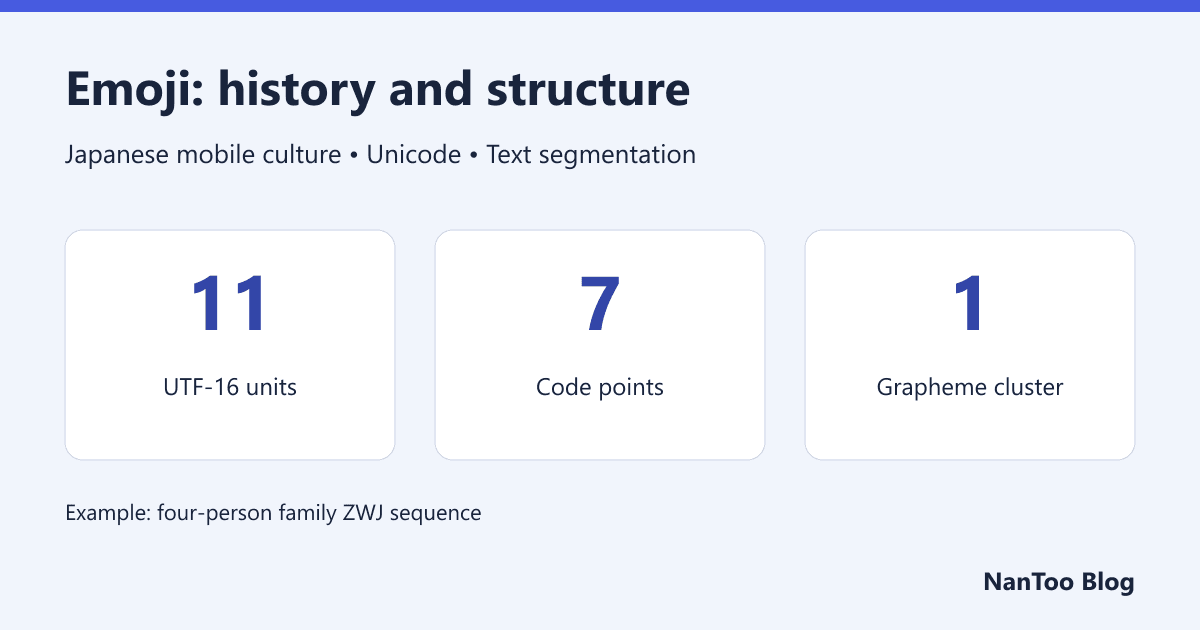
Why JavaScript can count the same sequence as 11, 7 or 1
Run this example in a browser or JavaScript runtime with Intl.Segmenter support. It distinguishes UTF-16 code units, code points and extended grapheme clusters: units intended to approximate user-perceived characters.
const text = "👨👩👧👦";
console.log(text.length); // 11: UTF-16 code units
console.log([...text].length); // 7: code points
const segmenter = new Intl.Segmenter("en", { granularity: "grapheme" });
console.log([...segmenter.segment(text)].length); // 1: grapheme clusterEach of the four person code points takes two UTF-16 code units, while each of the three ZWJs takes one: 4 × 2 + 3 = 11. Iterating the string counts its seven code points. Grapheme segmentation applies Unicode boundary rules; it does not inspect whether a font actually rendered one image.
An input limit might concern stored bytes, UTF-16 length, code points or grapheme clusters. Choose the unit before comparing “character counts.” For newer sequences, also consider the Unicode data version implemented by the runtime.
Reading specification versions and emoji totals
UTS #51, Unicode Emoji, is an independent technical standard defining structures, data and interoperability guidance. Conformance to the Unicode Standard does not automatically imply conformance to UTS #51. The current page consulted on November 20, 2026 identifies itself as version 18.0.
For a fixed historical example, the official Emoji 16.0 count gives a total of 3,790 and a subtotal of 3,778 before the separate component rows. The count includes sequences, such as skin-tone and ZWJ variants. It does not mean that Unicode contains 3,790 separate emoji code points.
DOCOMO’s 176 designs and a sequence-inclusive total measure different things. Dividing one by the other to claim “22-fold growth” is misleading. State the version and counting category whenever quoting an emoji total, and use a versioned table.
Rendering differences and accessibility
Standardization does not make every vendor’s artwork identical. Fonts and applications can change their designs, while unsupported sequences may appear as separate symbols or missing glyphs. Screen-reader output also varies with the operating system, application, assistive technology and language settings.
In practice, accompany important states and actions with text rather than relying solely on emoji. A button named “Save” is less dependent on artwork or pronunciation than a button containing only “✅”. Decide whether an emoji is decorative or conveys information before choosing to hide it from assistive technology or provide an accessible name, and check the actual spoken output.
A recipient may not interpret an expression in the same way as its sender. For important instructions or business communication, using emoji to supplement words makes the intended meaning easier to establish.
Keep history, encoded data and display separate
- DOCOMO’s 176 designs are an important example from Japanese mobile culture, distinct from a claim about the first emoji.
- Keyboard availability and Unicode standardization play different roles.
- Skin-tone modifiers, ZWJ, regional indicators and VS16 have different roles.
- Specify the version and counting unit for emoji totals and input limits.
Drawing symbols on a small grid can help you explore the design constraints behind compact icons. Creating an image, however, is different from sending a character encoded in Unicode. Separating history, encoding and rendering also makes garbled text and character-count problems easier to understand.
References and sources
- MoMA: Inbox: The Original Emoji, by Shigetaka Kurita ↗(Exhibition associated with the 2016 acquisition.)
- Unicode Consortium: UTS #51: Unicode Emoji ↗(Technical specification for emoji.)
- blog.unicode.org: The Unicode Blog: Unicode Version 6.0: Support for Popular Symbols in Asia ↗(Official announcement from 2010.)
- Wikipedia: Shigetaka Kurita - Wikipedia ↗(Supplementary biographical index, not a source for technical requirements.)
- Wikipedia: Emoji - Wikipedia ↗(Supplementary index to history and technical references.)
- blog.emojipedia.org: Apple Emoji Turns 10 ↗(Historical account of the keyboard from iPhone OS 2.2 to iOS 5.)
- eyeondesign.aiga.org: The Story of the World’s First Emoji – Eye on Design ↗(Reporting on Kurita’s designs, including comments by MoMA’s Paul Galloway.)
- MoMA: Shigetaka Kurita. Emoji. 1998-1999 ↗
- Unicode Consortium: Unicode 8.0.0 ↗
- Unicode Consortium: Emoji Counts, v16.0 ↗
- Unicode Consortium: UAX #29: Unicode Text Segmentation ↗
- Ecma International: ECMAScript® 2027 Internationalization API Specification ↗(Living ECMA-402 draft; consulted for the Intl.Segmenter specification.)
Editorial note
This article was prepared with AI assistance and reviewed by an editor before publication. It may still contain factual errors, interpretation mistakes, or outdated information. Check the cited primary sources or official documentation before making an important decision.